Pending DC List
On this page
The Pending DC List shows the goods that came in on a delivery challan (D.C.) and have not been billed yet, grouped by supplier. Use it to chase suppliers for the bills of goods you have already received and put into stock, and to see the value of what is still unbilled.
Open the report
Press Alt+7 for Special Reports, then E. The report opens for the financial year from its first day to today, with the cursor on Purch./Returns and the choice Purchases.
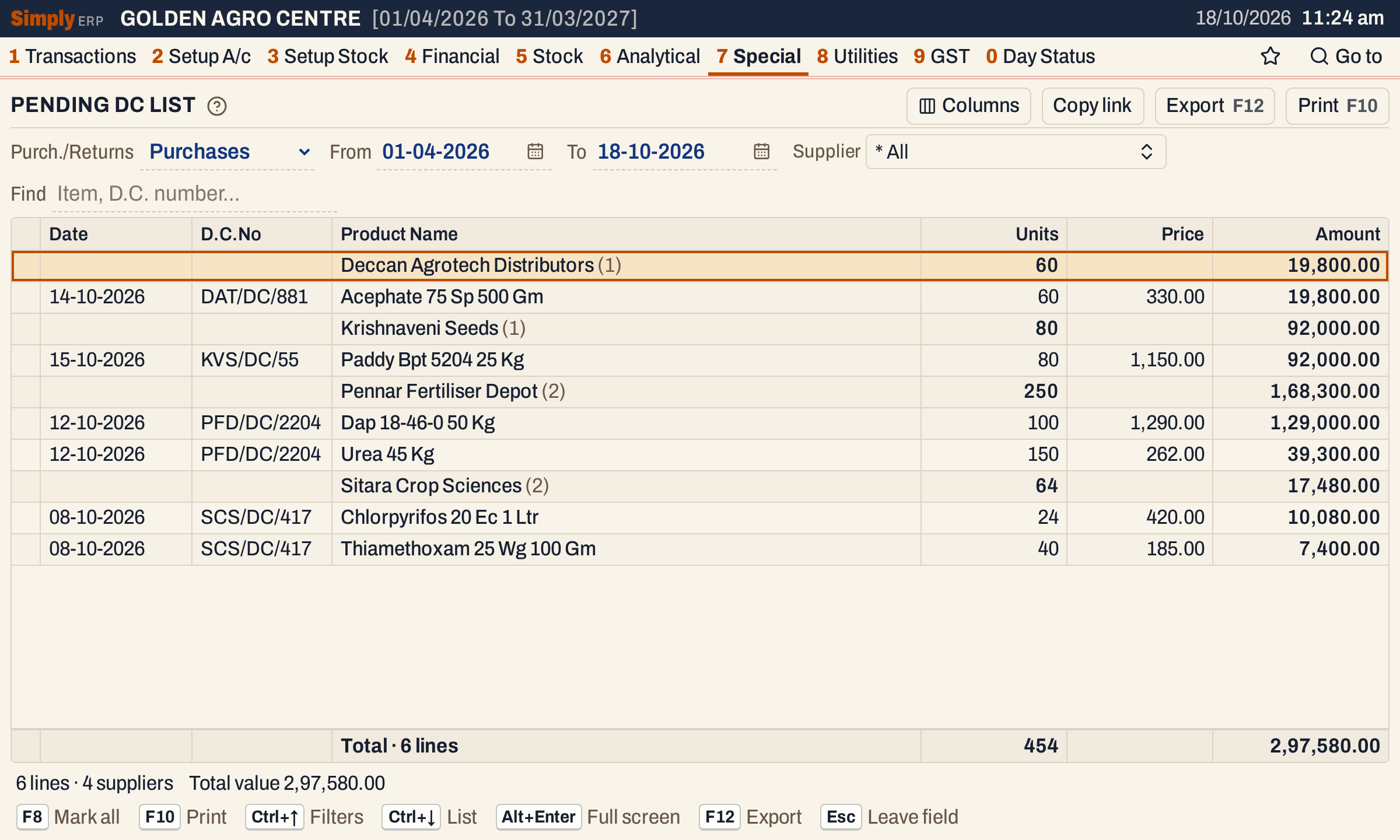 Each supplier is a bold line with the number of its lines in brackets, its units and its value. The challan lines are under it.
What it lists
The report reads the goods received or sent without a bill, as recorded in Goods In / Out. A challan line is listed when some of its quantity has not been taken by a bill:
- Purchases: goods received from a supplier on a challan;
- Returns: goods sent back to a supplier on a return challan.
A line is listed when its date falls in the period, both days included. When a purchase bill takes the goods through the D.C. column of its lines (the Link button), the line leaves the list, wholly or for the units billed. A challan billed in part stays with the units that remain. Challans of goods delivered to customers are not listed.
Columns
| Column | What it shows |
|---|---|
| Date | The date of the challan line. |
| D.C.No | The supplier’s challan number, as written when the goods were received. When none was written, the entry’s own reference. |
| Product Name | The item. On a supplier’s line, the supplier’s name with its number of lines in brackets. |
| Units | The units not yet billed. On a supplier’s line, the total of its lines. |
| Price | The price recorded on the challan, per unit. Hide it with Columns. |
| Amount | Units × Price, to the paisa. On a supplier’s line, the total of its lines. |
The totals line counts the lines and adds up the Units and Amount. The status line gives the count of lines and suppliers, and the total value. A line with no price recorded counts its units but has an amount of nil.
Choices
| Choice | What it does |
|---|---|
| Purch./Returns | Purchases (the default) or Returns. |
| From, To | The period, both days included. Both dates must fall in the financial year. The default is the first day of the year to today. |
| Supplier | Shows only the suppliers you tick. The list holds the suppliers that have pending lines of the chosen kind. The default is * All. Changing Purch./Returns clears it. |
| Find | Shows only the lines that match what you type in the product name, challan number, supplier’s name, item code or date. Every word you type must match; a word of three letters or more also matches when its letters appear in that order, close together. |
Every choice is kept in the page address, so Copy link gives a link that opens the same report.
 The choices of the report as it opens.
Returns
Choose Returns to see the goods sent back to a supplier on a return challan, not yet taken by a purchase return bill. Here one line of Pennar Fertiliser Depot is waiting: 10 units of Zinc Sulphate 21 1 Kg at 410.00.
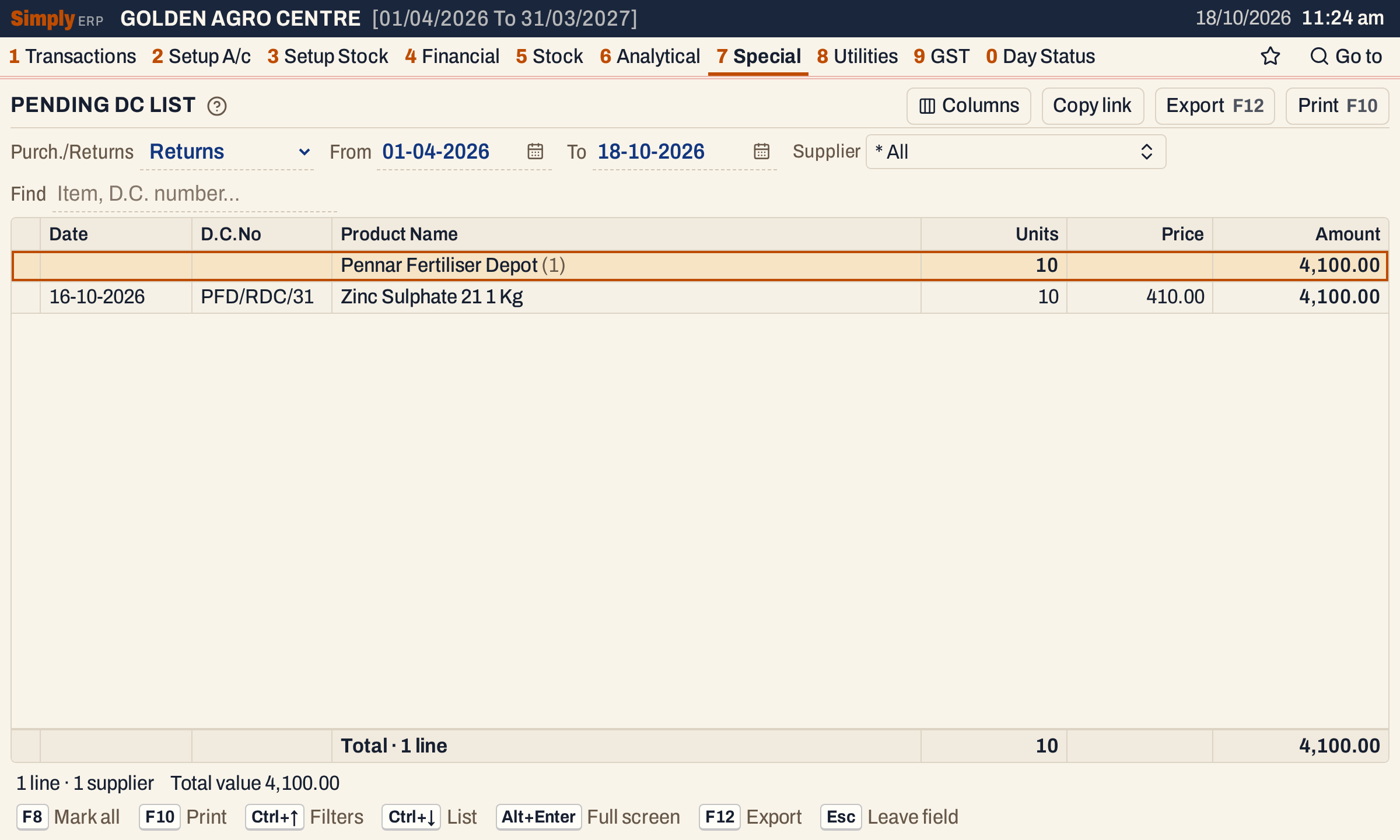 Returns lists the goods sent back that no bill has taken yet.
Sort
Click a column title to sort by it, and click it again to reverse. The first click on Units, Price or Amount puts the largest first. Units and Amount also put the suppliers in the order of their totals: here Amount puts the supplier with the most unbilled value first, Pennar Fertiliser Depot with 1,68,300.00, and the lines inside each supplier follow the same order. The other columns sort the lines inside each supplier, and the suppliers stay in name order.
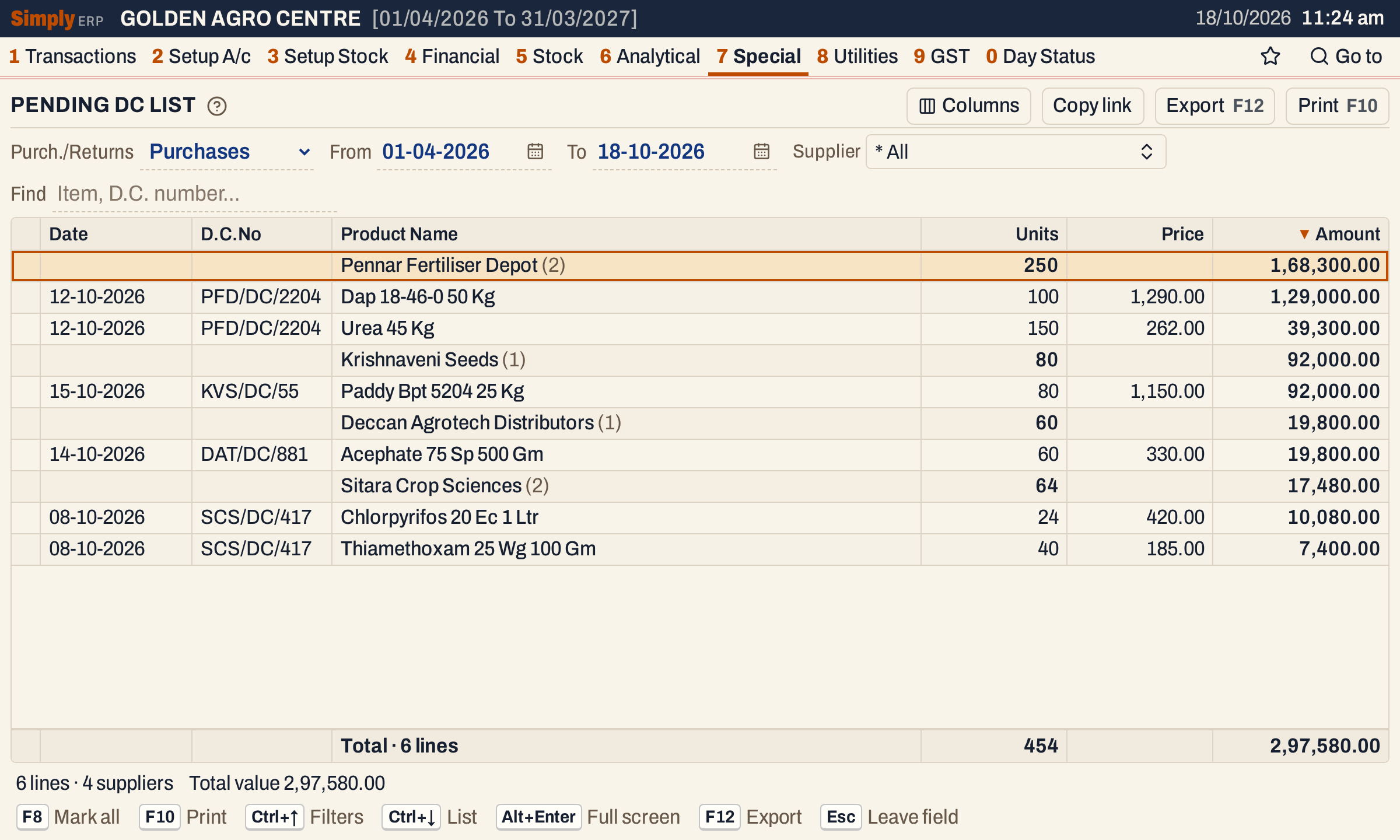 Sorted by Amount. The arrow on the title shows the column the list is sorted by.
Find
Type a supplier’s name or challan prefix, a challan number or a product. Here pfd leaves the lines of Pennar Fertiliser Depot, whose challan numbers begin with it.
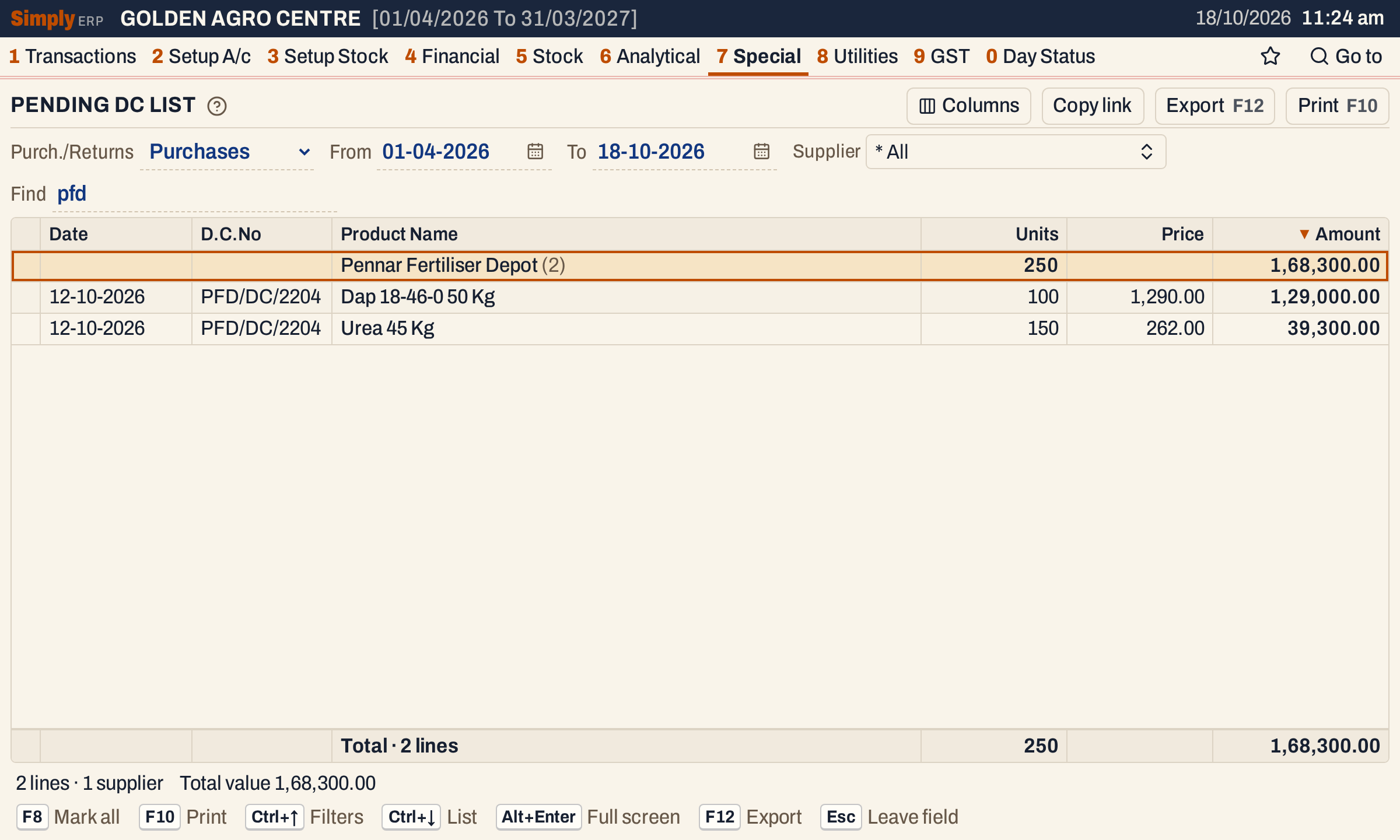 Find narrows the lines, and the totals line follows.
How the figures are worked out
For each challan line, SimplyERP reads the goods entry and the bills that have taken it:
- Units = the quantity of the goods entry − the quantity taken by bills posted up to the To date. A line with nothing left is not listed.
- Amount = Units × Price, to two decimals, with the Price as recorded on the challan.
- A supplier’s line adds up its lines. The total value adds up the amounts of the lines on the screen after Find and Supplier.
A bill posted after the To date does not count against a line, so setting To to an earlier day shows what was pending on that day.
 The totals line adds up the lines; the status line repeats the count and the value.
Open, mark, print and export
- Enter on a line opens the Stock Ledger of its item for the same period. Back returns to the list.
- F2 marks a line and F8 marks every line on the screen. When any are marked, F10 prints only those, and the print says Marked lines only.
- F10 prints the list under the title PENDING DC STATEMENT, with the period in its heading, each supplier as a heading over its lines, and a closing line, Total Stock Value, with the total units and amount. When Returns is chosen, the heading says so.
- F12 saves it as an Excel workbook.
- Alt+Enter gives the whole window to the list.
Updated 4 November 2026.