Sales Register
On this page
The Sales Register lists every item line of your sales bills in the period, bill by bill under each customer. The last line of each bill shows the total of its lines.
Open the report
Press Alt+7 for Special Reports, then Z for More Special Reports, then B. The report opens for the financial year from its first day to today, for all categories, all payments and all customers.
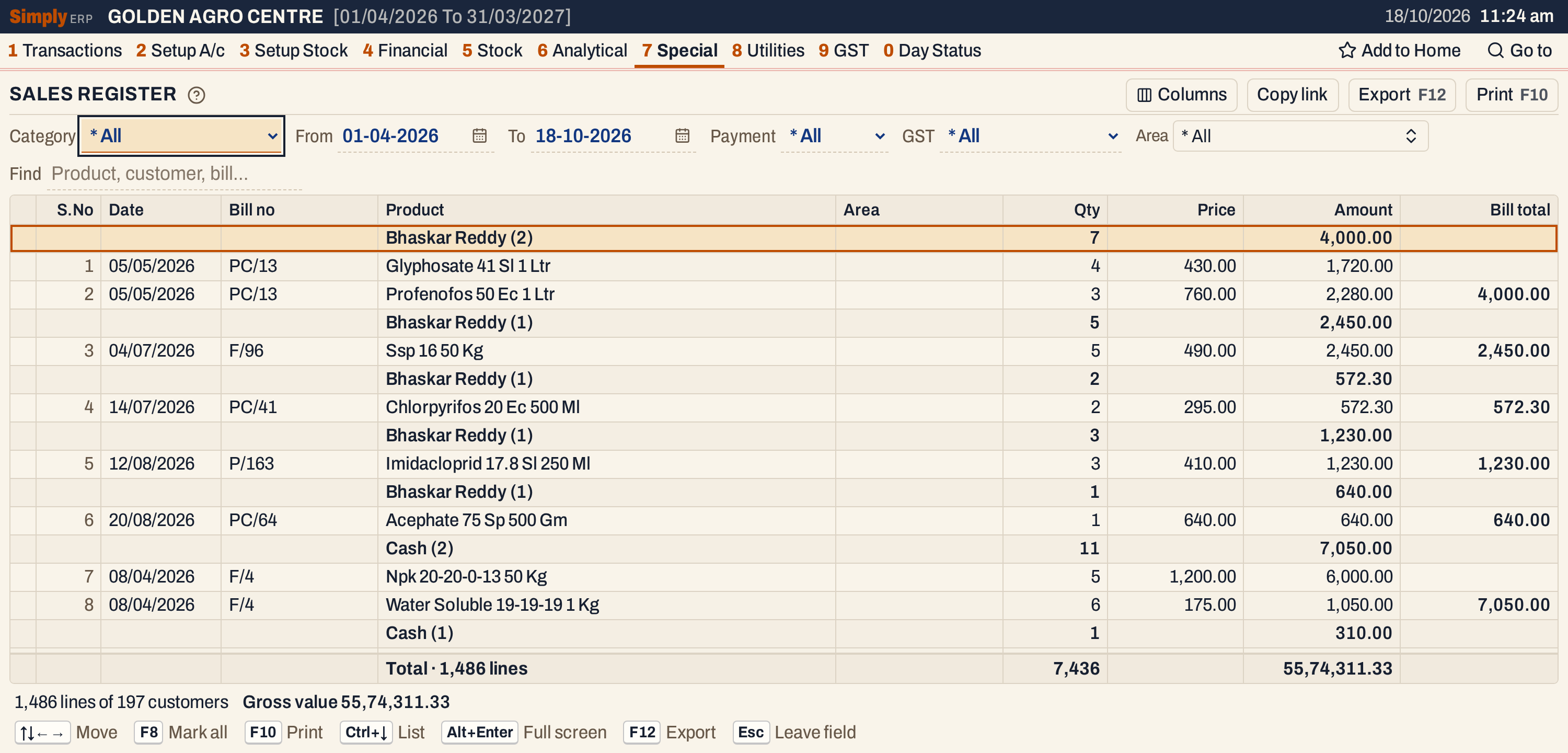 Each heading gives the customer’s name, the number of lines under it in brackets, and their quantity and amount. The first headings are wallet bills, one heading for each bill.
What it lists
One line for each item on a sales bill dated in the period. A line is one item on one bill.
Left out: sales returns, goods delivered and not yet billed, and the charges and deductions at the foot of a bill (freight, cash discount, round off).
The lines sit under a heading for each customer:
- A cash bill is listed under the name written on the bill, together with the other cash bills of that name.
- Any other bill (credit, card or wallet) is listed under its customer’s account. A bill with no account is listed under the name on the bill, with a heading of its own.
The headings come in order of area, then name. A heading with no area comes first, and the cash bills come after all the others. Under a heading the lines are in date order, then by the bill’s series and number, then by product name.
Columns
| Column | What it shows |
|---|---|
| S.No | The number of the line. Hidden by Columns. |
| Date | The date of the bill. |
| Bill no | The bill’s number, with its series. |
| Product | The item’s name. |
| Customer | The name on the bill. Shown only when Payment is Cash. |
| Area | The Area on the customer’s account (set in A/c Grouping, 2 C), or for a cash bill the place written on the bill. Hidden by Columns. |
| Qty | The units on the line. |
| Price | The price per unit before the line’s discount. It is before GST for a customer with a GSTIN and includes GST for any other customer. Hidden by Columns. |
| Amount | The line’s value with GST. See below. |
| Bill total | On the last line of each bill, the total of its lines. Hidden by Columns. |
A customer heading shows the name, the area after a dash, the number of lines in brackets, and the quantity and amount of those lines. Price and Bill total are not added up. The totals line adds up the quantity and the amount of every line listed.
Choices
| Choice | What it does |
|---|---|
| Category | * All (the default), or one category: only the lines whose item is in that category. |
| From, To | The period, by the bill’s date. Both days are included, and both must fall in the financial year. It opens on the financial year’s first day and ends on today. |
| Payment | * All (the default), Cash or Credit bills. Cash and Credit leave out bills paid by card or wallet. With Cash the lines are not grouped by customer, and a Customer column shows each bill’s name. |
| GST | * All (the default), Registered (bills that record a GSTIN for the customer) or Unregistered. |
| Area | One or more areas: only the customers in them. Cash bills are not left out by it. The list holds the areas of the customers billed in the period. Not offered with Payment on Cash. |
| Find | Shows only the lines whose product, customer, area or bill number matches what you type. |
Click a column title to sort by it, and click again to reverse. Shift+click adds a second column to the sort. Every choice is kept in the page address, so Copy link gives a link that opens the same report.
 The choices above the grid.
How the figures are worked out
Each line of a sales bill dated in the period is read, if its bill passes Payment and GST and its item is in the chosen Category.
- Qty is the units on the line.
- Price is the line’s price per unit before its discount: before GST for a customer with a GSTIN, with GST for any other customer.
- Amount is the units times the unit rate, rounded to paise. The unit rate is the line’s value divided by its units, rounded to paise. The value is after the line’s discounts and with GST: for a customer with a GSTIN, the taxable amount plus GST at the line’s rates; for any other customer, the line’s amount as the bill records it, which already includes GST. Rounding the unit rate first can make an amount differ from the bill’s own line by a few paise.
- Charges and deductions at the foot of the bill (freight, cash discount, round off) are not spread over the lines. A bill total here is therefore the total of the lines, not the bill’s own total.
- Bill total adds up the amounts of a bill’s lines that follow each other, and shows the sum on the last of them. In the usual order that is every line of the bill. If Find or Category leaves out some lines of a bill, or sorting by another column puts a bill’s lines apart, the total covers only the lines that sit together.
- A customer heading adds up the quantity and the amount of its lines.
The totals line adds up the quantity and the amount of every line listed. The status line gives the number of lines and of headings, and the gross value: the same total as the Amount column, with GST.
 The status line counts lines and headings. Each heading counts as one customer.
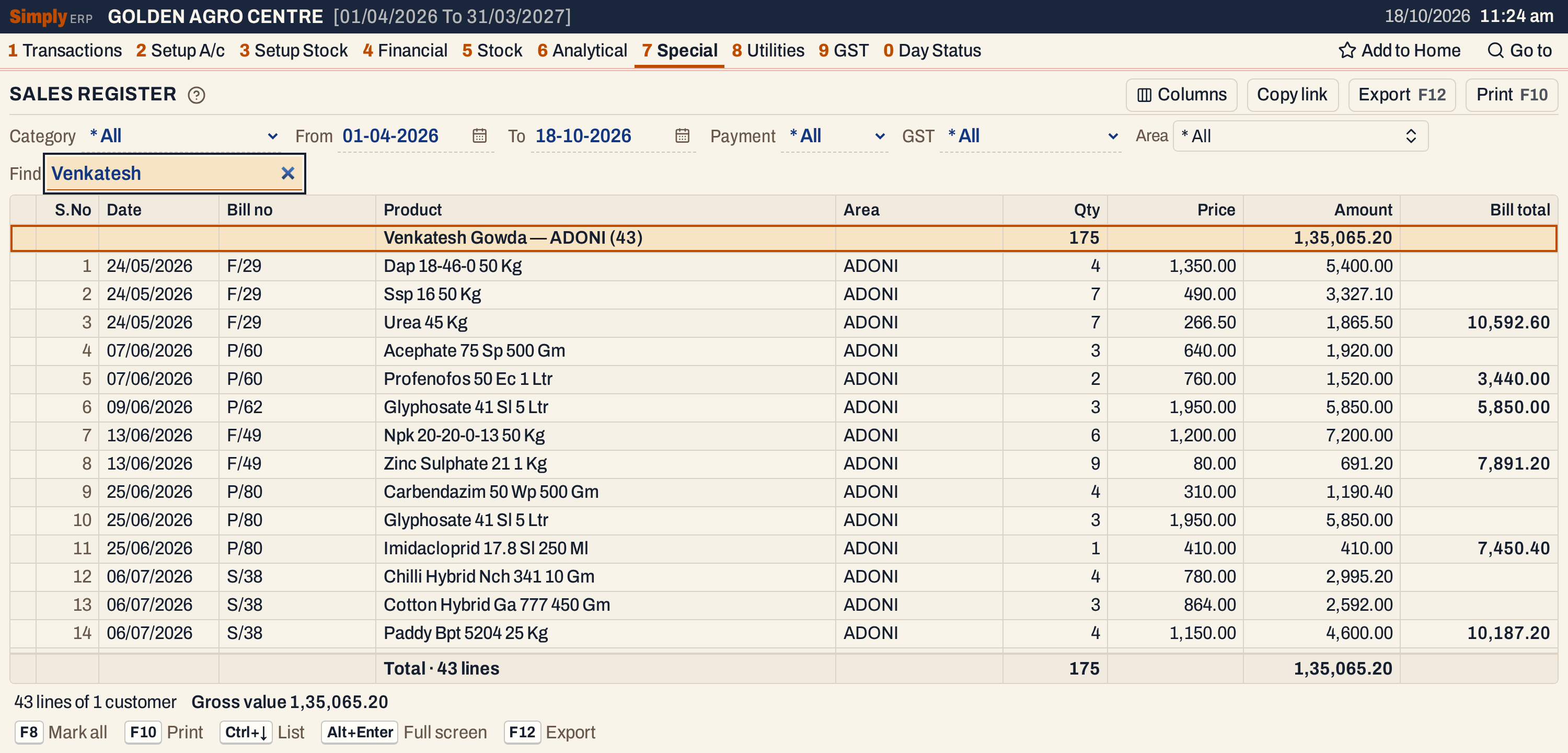 Found with Find. Venkatesh Gowda has no GSTIN, so Price includes GST. On bill F/29, Ssp 16 is 7 units at 490.00, which is 3,430.00 before the line’s discount, and its Amount is 3,327.10. The three lines, 5,400.00, 3,327.10 and 1,865.50, add up to the bill total of 10,592.60.
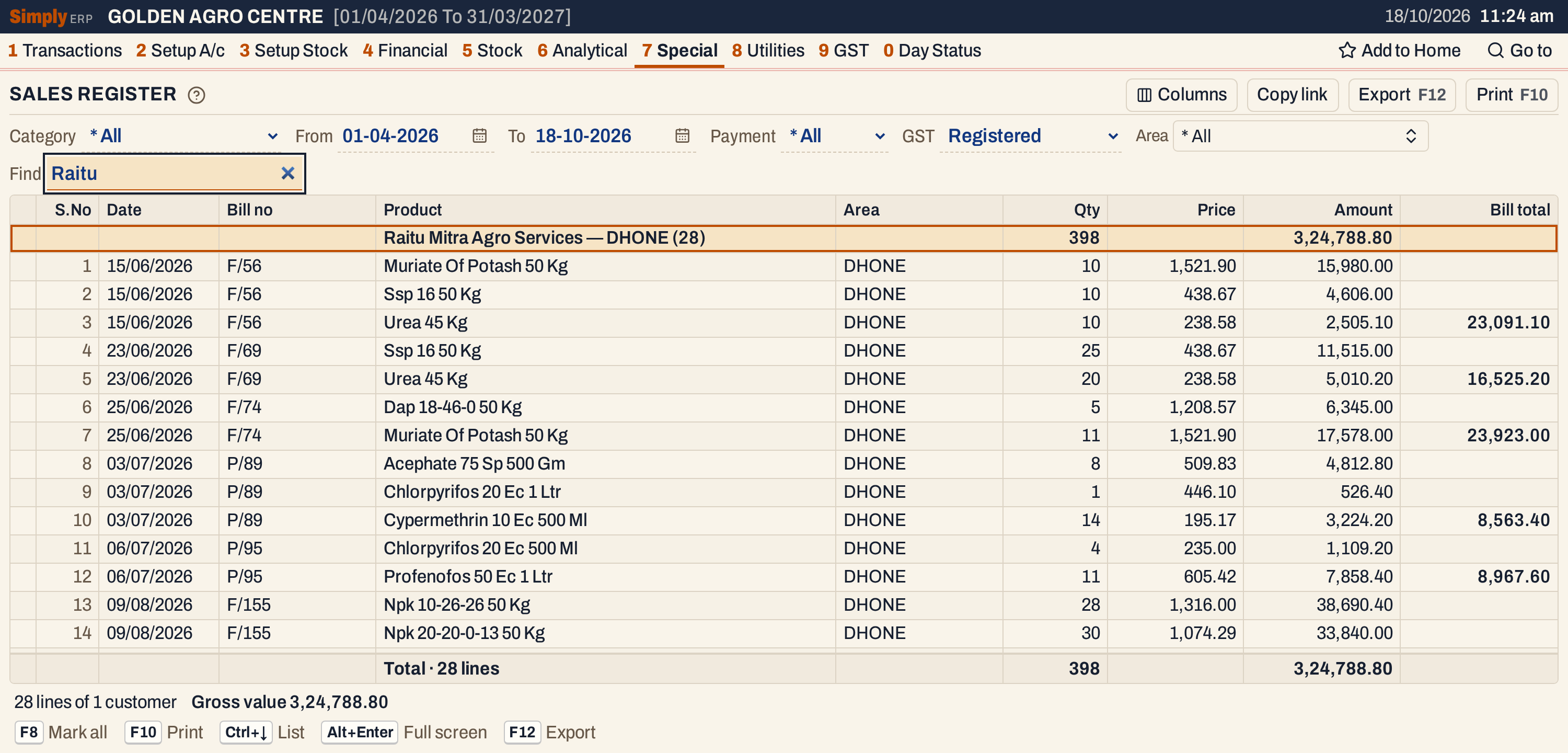 With GST on Registered, Price is before GST. On bill F/56, Urea 45 Kg is 10 units at 238.58, which is 2,385.80. With 5% GST the unit rate is 250.51, and the Amount is 2,505.10.
With Payment on Cash, the lines of cash bills are listed without customer headings, and the Customer column shows each bill’s name.
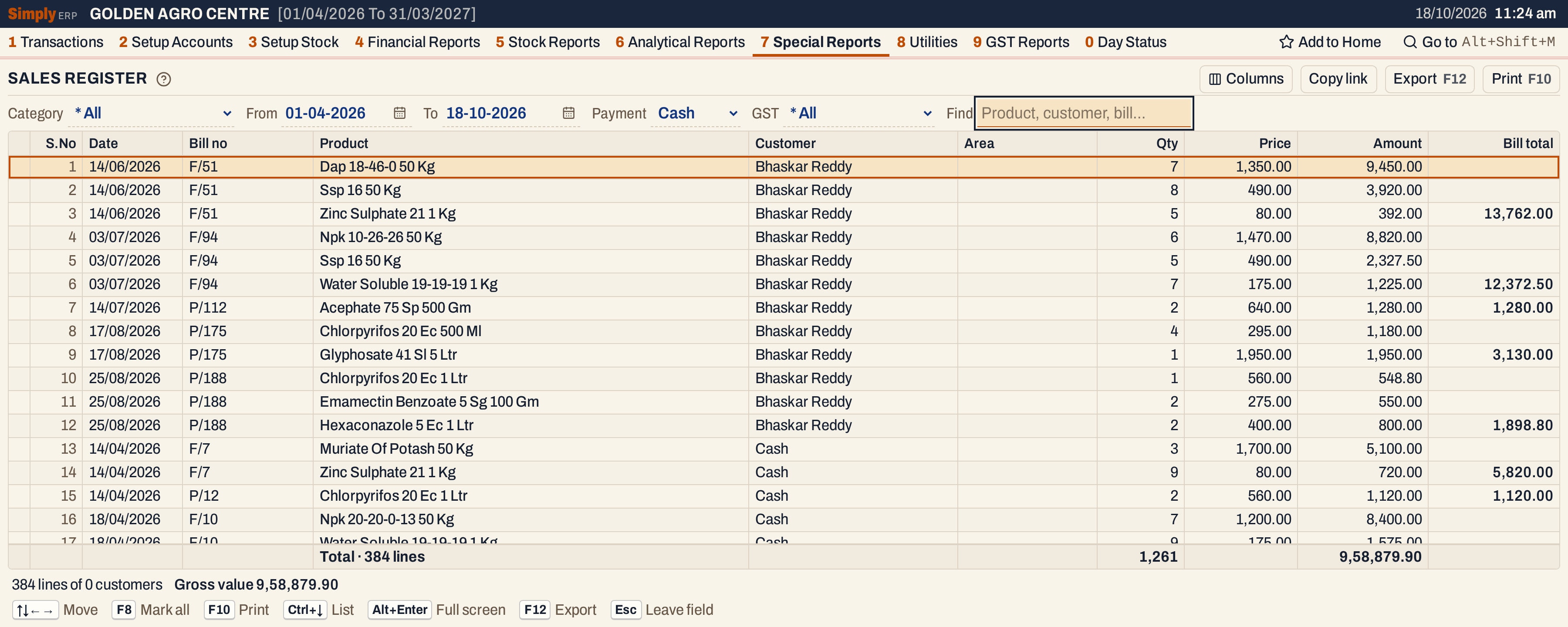 Bill F/51 has three lines, 9,450.00, 3,920.00 and 392.00, and its bill total is 13,762.00.
Open, mark, print and export
- Enter on a line opens its bill. Enter on a heading does nothing.
- F2 marks a line and F8 marks them all. F10 then prints only the marked lines.
- F10 prints the register with the period and your choices in its heading. Columns chooses the columns shown and printed.
- F12 saves the printed register as an Excel workbook, with the figures as numbers.
- Alt+Enter gives the whole window to the list.
Updated 4 November 2026.