Outstanding with Interest
On this page
Outstanding with Interest shows what each customer and farmer owes, and what simple interest on the balance comes to at a rate you choose. For each party it works out the interest day by day over the period, on the balance as it stood each day, and adds it to the closing balance. Use it to see what late payment is worth when you speak to a customer.
The interest is only worked out here. The report never posts it to the books.
Open the report
Press Alt+7 for Special Reports, then Y. The report opens for the financial year from its first day to today, at 12 percent for 360 days, for all parties with a balance, grouped by area.
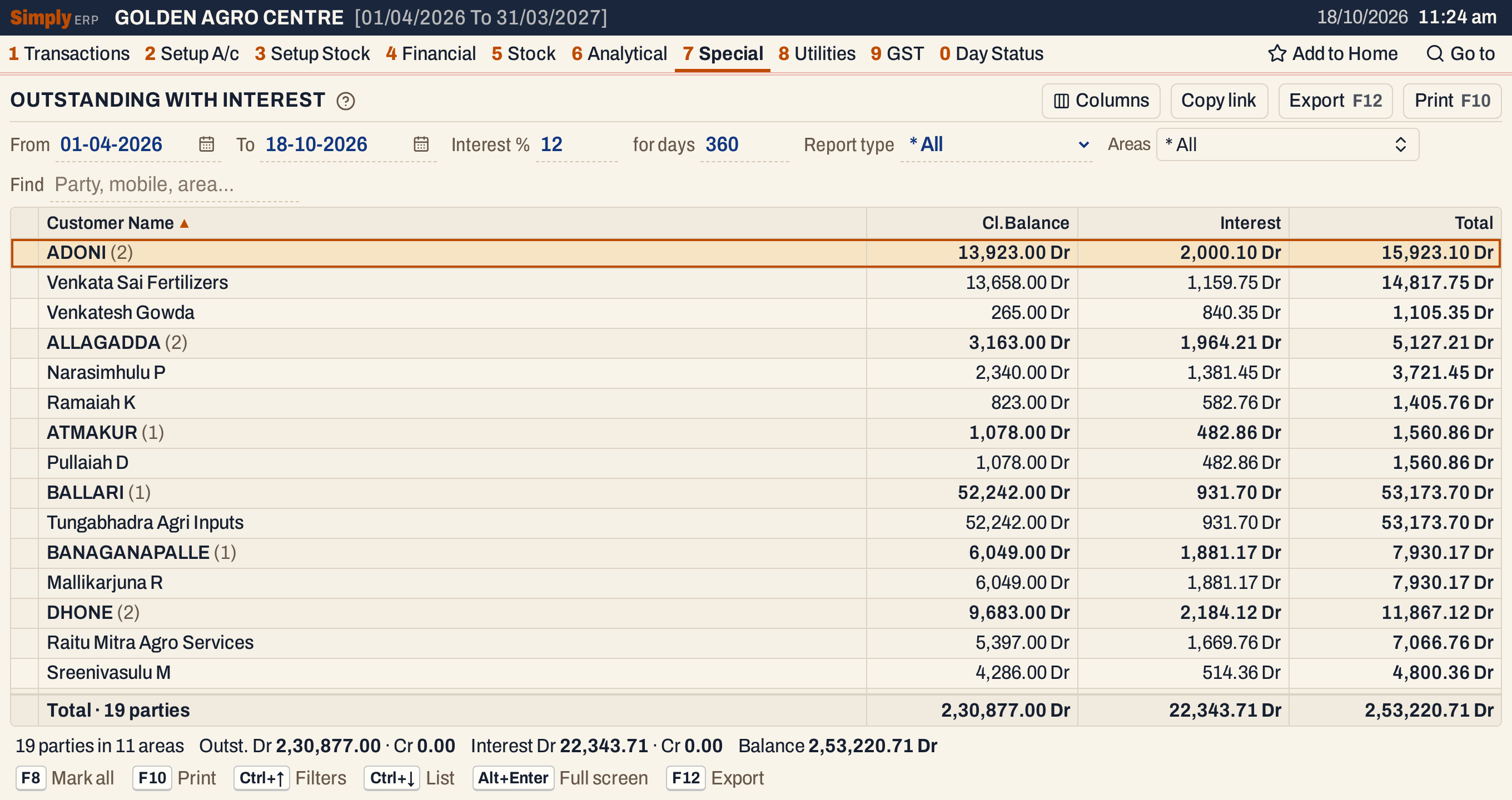 Each area is a heading with the number of parties under it and their totals.
What it lists
One line for each account of type Customer, Customer - Supplier or Farmer that has a City / town (the report’s Area) and whose closing balance is not nil. An account with no City / town is not listed. A party whose balance is a credit is listed too, marked Cr.
Everything posted to the account counts: its opening balance, bills, returns, notes, receipts, payments, journals and charges.
Columns
| Column | What it shows |
|---|---|
| Customer Name | The account’s name. |
| Mobile | The account’s phone. The column shows only when at least one listed party has a number. |
| Opening | The balance at the start of the period, marked Dr or Cr. Hidden at first. |
| Debit | The debits posted in the period. Hidden at first. |
| Credit | The credits posted in the period. Hidden at first. |
| Cl.Balance | The balance at the end of the period, marked Dr or Cr. |
| Interest | The interest on the daily balance, marked Dr or Cr. |
| Total | Cl.Balance + Interest, marked Dr or Cr. |
Columns at the top right shows or hides Mobile, Opening, Debit and Credit. Click a column title to sort the parties inside each area, and click again to reverse.
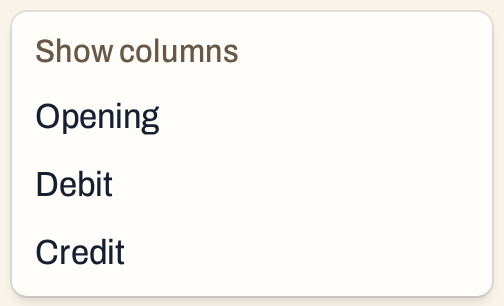 Opening, Debit and Credit are off until you choose them.
Choices
| Choice | What it does |
|---|---|
| From, To | The period. The interest runs from the From date to the To date. The opening balance is the balance on the day before From. |
| Interest % | The rate for a year, 12 at first. It can be from 0.01 to 99.99. With no rate the report says to enter one. |
| for days | The number of days in the year the rate is for, 360 at first. It can be from 1 to 999. |
| Report type | * All (the default), Farmer, Customer (Customer and Customer - Supplier accounts) or Customer / Supplier (accounts that are both). |
| Areas | Only the areas you tick. * All is the default. |
| Find | Shows only the parties whose name, mobile number or area matches what you type. |
Every choice is kept in the page address, so Copy link gives a link that opens the same report.
 The choices above the list.
How the figures are worked out
For each party SimplyERP follows its balance through the period:
- Opening = the account’s opening balance + everything posted to it before the From date. Debit is positive.
- Debit and Credit = the debits and credits posted from the From date to the To date, both days included. The opening balance is not counted here.
- Cl.Balance = Opening + Debit − Credit. It is shown Dr when positive and Cr when negative.
- Interest: the balance starts at the opening balance on the From date. Postings of the same day count together, and the days from one posting date to the next are counted. For each stretch, the interest is balance × days × rate ÷ 100 ÷ days in the year, rounded to the paisa. A balance changes on the day of a posting, so a posting earns from its own day on, and the old balance earns up to the day before. After the last posting the balance runs to the To date. The To date itself earns nothing. The interest is the sum of the stretches.
- Total = Cl.Balance + Interest.
A credit balance earns interest on the credit side, so its Interest is marked Cr and its Total, also a credit, is larger than the balance.
Example: Anantha Agro Stores has five credit sale bills and a payment of 12,000.00 on 18-10-2026, at 12 percent for 360 days.
| From | To | Days | Balance | Interest |
|---|---|---|---|---|
| 14-05-2026 | 08-07-2026 | 55 | 10,660.00 | 195.43 |
| 08-07-2026 | 22-08-2026 | 45 | 18,010.00 | 270.15 |
| 22-08-2026 | 24-09-2026 | 33 | 23,340.00 | 256.74 |
| 24-09-2026 | 12-10-2026 | 18 | 28,240.00 | 169.44 |
| 12-10-2026 | 18-10-2026 | 6 | 30,690.00 | 61.38 |
Before 14 May the balance is nil. The payment on 18 October lowers the balance to 18,690.00, but that is the To date, so it earns nothing. The interest is 195.43 + 270.15 + 256.74 + 169.44 + 61.38 = 953.14, and the Total is 18,690.00 + 953.14 = 19,643.14 Dr.
 Debit and Credit are the period’s postings; the Opening column is hidden here.
Another rate
Change Interest % and for days to work the interest at another rate. At 18 percent for 365 days the same party’s interest is 1,410.12 and its Total 20,100.12 Dr.
 The balances do not change; only the interest does.
Totals
An area line adds up its parties; the Opening column has no total. The totals line under the list adds up every party listed, and the line under it shows the number of parties and areas, the closing debit and credit, the interest debit and credit, and the net balance.
 Total of the balances, the interest and the two together.
Open, mark, print and export
- Enter on a party opens its ledger for the same period. Back returns to the same line.
- F2 or Space marks a party and F8 marks them all. F10 then prints only the marked parties, with their area lines worked out again. The status line shows how many are marked.
- F10 prints the report as it is on the screen, as CUSTOMERS OUTSTANDING WITH INTEREST with the period, the rate and the days in the year in its heading. Three closing lines follow the last party: Tot.Balance, Tot.Interest and BALANCE, the last being the Total.
- F12 saves it as an Excel workbook.
- Alt+Enter gives the whole window to the list.
Updated 4 November 2026.