Purchase Register
On this page
The Purchase Register lists the products you bought from each supplier in the period: how many units of each, and what they came to. Suppliers are listed by area, and each supplier’s products are grouped by company, with the company’s total on its last line.
Open the report
Press Alt+7 for Special Reports, then Z for More Special Reports, then C. The report opens for the financial year from its first day to today, for all areas.
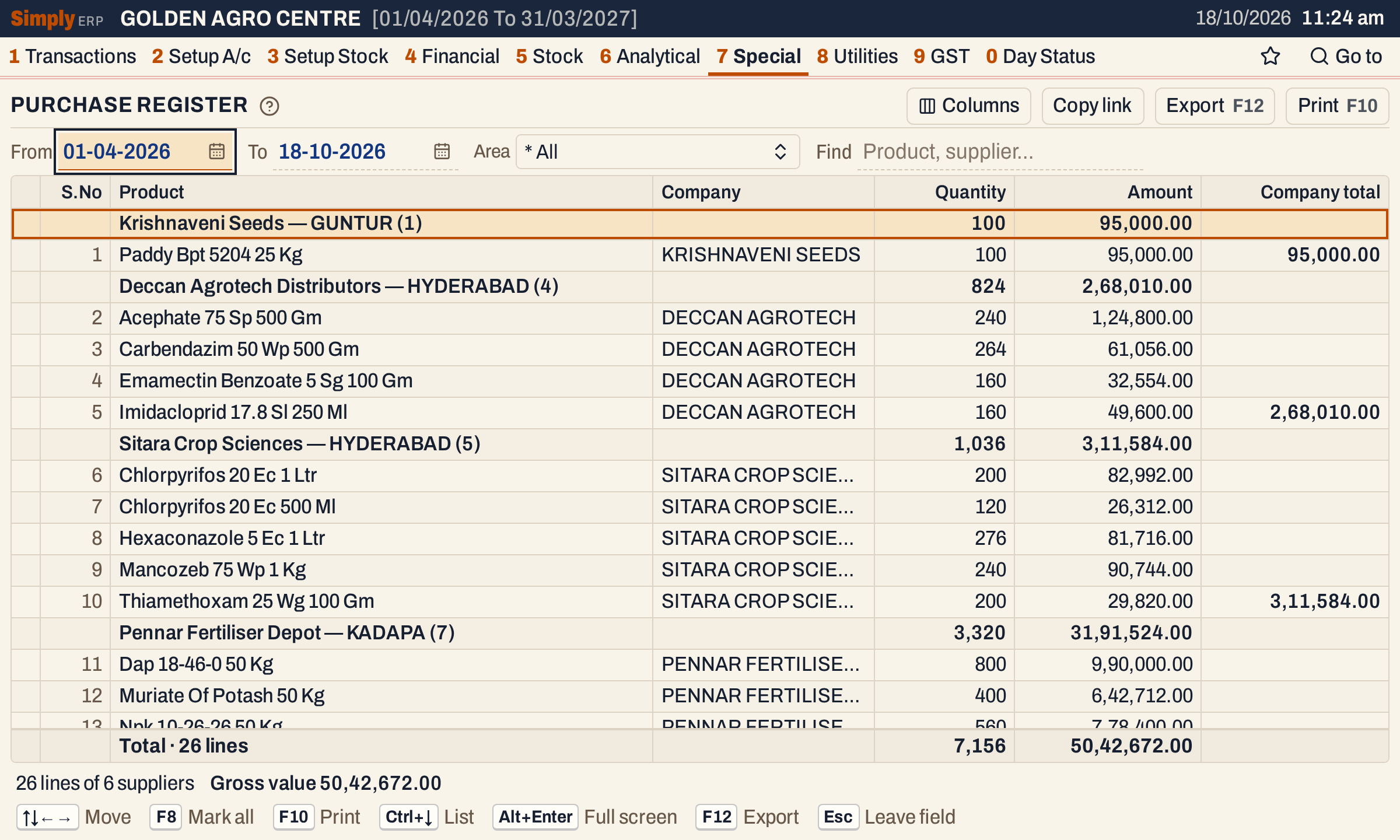 Each supplier heading gives its name, its area, the number of lines in brackets, and their quantity and amount.
What it lists
One line for each product bought from each supplier in the period. A product that came on several bills is one line, with its quantity and amount added up.
- Purchase bills received in the period. The date that counts is the received date on the bill (Recd.), the day the goods came in, not the date of the supplier’s bill.
- Only suppliers whose account has an Area. The account must be of type Supplier or Customer - Supplier. A supplier with no area is left out, so set its area in A/c Grouping (2 C) to see its purchases here.
- Only the item lines of the bills. Freight and other charges at the foot of a bill are not in it, and purchase returns and notes are not taken off.
Suppliers are listed under their areas, and each supplier’s products are kept together by company.
Columns
| Column | What it shows |
|---|---|
| S.No | The number of the line. Hidden by Columns. |
| Product | The product’s name. A supplier heading gives the supplier’s name, its area after a dash, and the number of lines in brackets. |
| Company | The product’s company (manufacturer). Hidden by Columns. |
| Quantity | The units bought. |
| Amount | The value bought, as worked out below. |
| Company total | On the last line of each company’s products from a supplier, the amount of those products. Hidden by Columns. |
A supplier heading shows the quantity and amount of its lines. The totals line adds up the quantity and the amount of every line listed.
Choices
| Choice | What it does |
|---|---|
| From, To | The period, by the bills’ received date. Both days are included, and both must fall in the financial year. It opens on the financial year’s first day and ends on today. |
| Area | One or more areas: only the suppliers in them. The list holds the areas of the suppliers bought from in the period, with a search box. |
| Find | Shows only the lines whose product, company, supplier or area matches what you type. |
Click a column title to sort by it, and click again to reverse. Shift+click adds a second column to the sort. Every choice is kept in the page address, so Copy link gives a link that opens the same report.
 The choices above the grid.
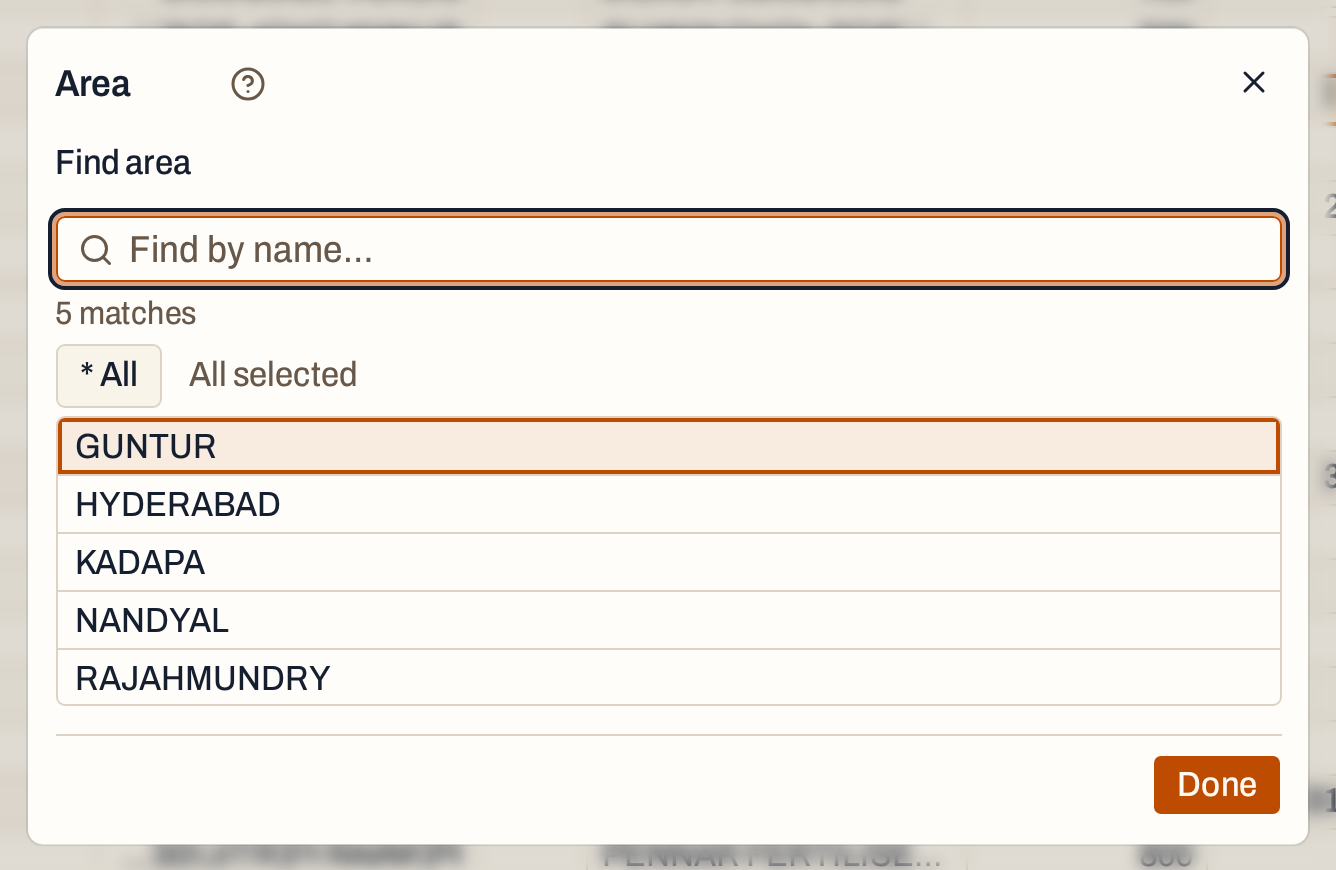 The Area list. Choose the areas you want, then press Done.
How the figures are worked out
Each item line of a purchase bill received in the period is read, from a supplier that has an area. The lines of one product from one supplier, over all its bills, are added into one line:
- Quantity is the units on the lines.
- Amount is the value of the lines. A line’s value is its taxable amount, after the line’s discounts and before GST, when the bill records a GSTIN for the supplier. When it records none, the value is the line’s net amount, with GST.
- Company total is the sum of the amounts of one company’s products from one supplier, shown on the last of those lines. If sorting by another column puts them apart, each run of lines that sit together has its own total.
- A supplier heading adds up the quantity and the amount of its lines.
The order is by area, then supplier name, then company, then product name.
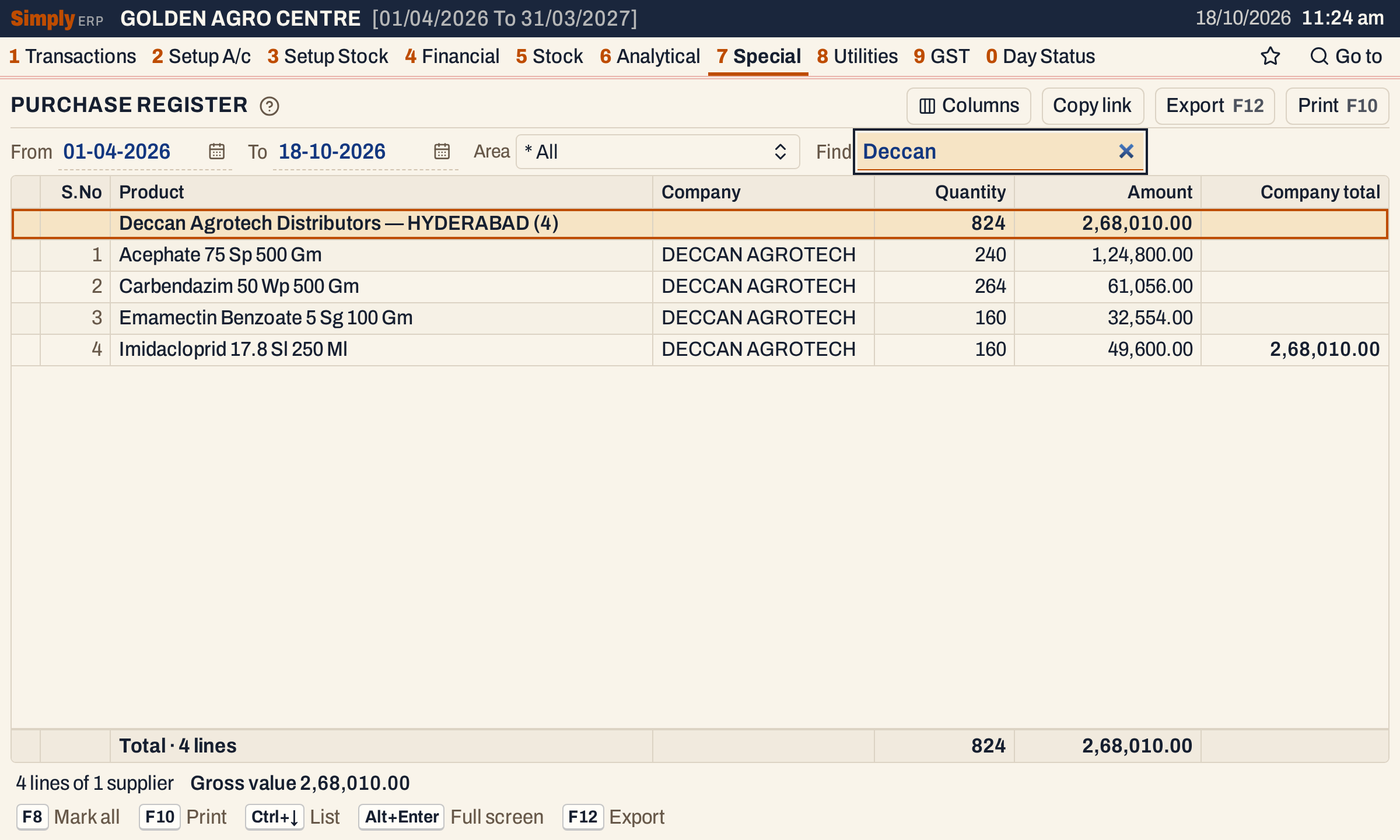 Deccan Agrotech Distributors: its four products add up to 824 units and 2,68,010.00, which is the company total.
The status line gives the number of lines and of suppliers, and the gross value, which is the same total as the Amount column.
 The status line counts lines and suppliers and gives the gross value.
Open, mark, print and export
- Enter on a line opens the product’s Stock Ledger.
- F2 marks a line and F8 marks them all. F10 then prints only the marked lines.
- F10 prints the register with the period and your choices. Columns chooses the columns shown and printed.
- F12 saves the printed register as an Excel workbook, with the figures as numbers.
- Alt+Enter gives the whole window to the list.
Updated 4 November 2026.