Form X
Form X is the certificate a manufacturer, dealer or retailer of insecticides signs to say that the registers prescribed in the Insecticides Rules, 1971 are kept under their own signature. SimplyERP writes the certificate for you, with your name, premises, place and the date filled in, and prints it on one A4 page for you to sign and seal. It does not read your bills or stock: it is a printed declaration, not a figure report.
Open the report
Press Alt+5 for Stock Reports, then N for Department Reports, then 1 for Form X. The cursor is in the Signatory field.
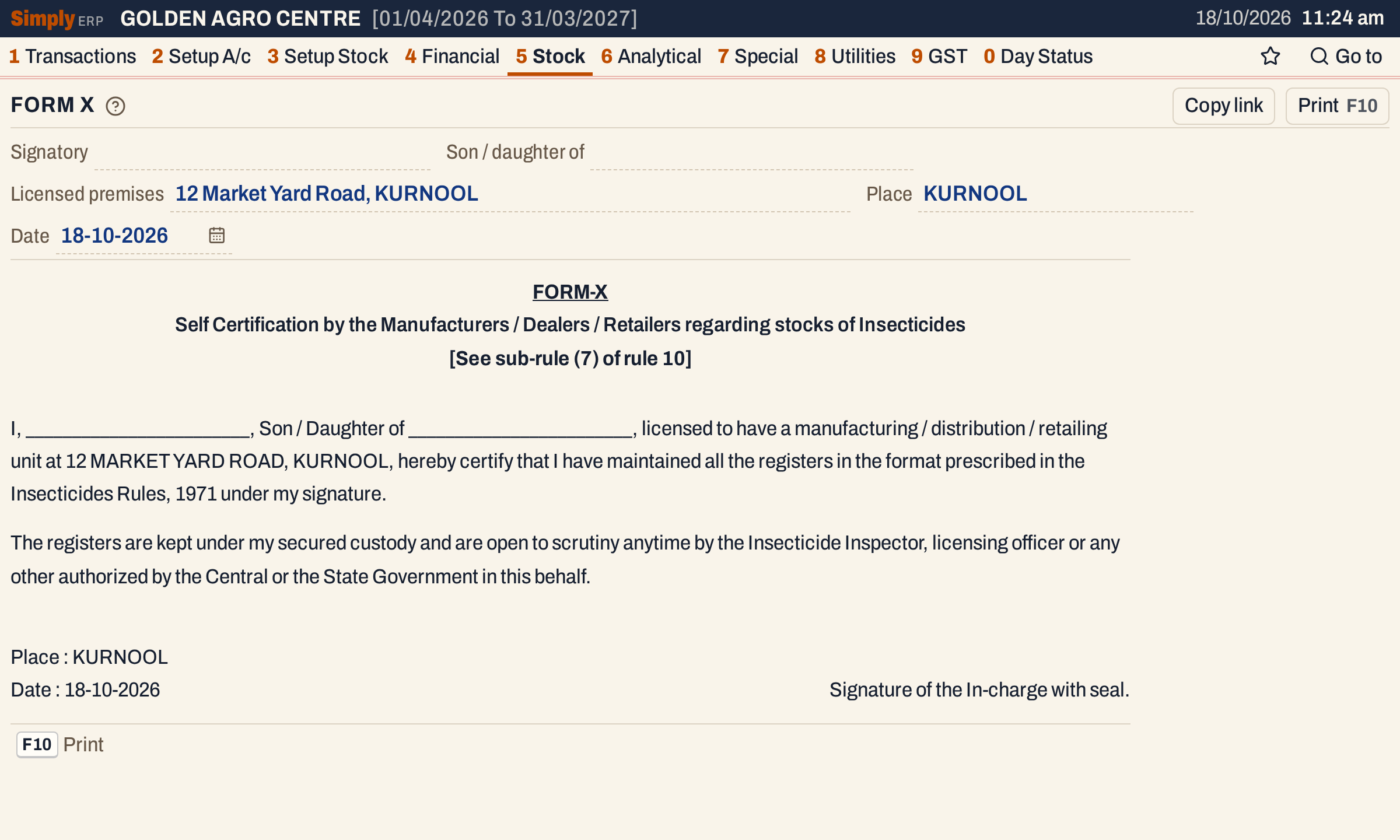 The certificate is shown as it prints. A name that has not been filled in shows as a blank line to write on.
What it shows
The screen has two parts: the five fields at the top, and the certificate under them. The certificate has fixed wording: the heading FORM-X, “Self Certification by the Manufacturers / Dealers / Retailers regarding stocks of Insecticides”, the reference “[See sub-rule (7) of rule 10]”, the two paragraphs of the declaration, the place and date, and the line “Signature of the In-charge with seal.” Only the five fields change.
In the first paragraph, your name, your parent’s name and the licensed premises are printed in capital letters. The place is printed in capitals too. A field left empty prints as a line of underscores, to be filled in by hand.
Choices
| Field | What it fills in |
|---|---|
| Signatory | The name after “I,”. Starts as the Proprietor in Company Details. |
| Son / daughter of | The name after “Son / Daughter of”. Starts as S/o, D/o in Company Details. |
| Licensed premises | The address after “licensed to have a manufacturing / distribution / retailing unit at”. Starts as Premises in Company Details; when that is empty, the company’s address lines 1 and 2 and its place, joined with commas. |
| Place | The place at the foot of the certificate. Starts as Place (forms) in Company Details; when that is empty, the company’s place. |
| Date | The date at the foot. Starts as the working date shown at the top of the screen. |
Type in a field to change it for this print. Enter moves to the next field, and Esc leaves the field. The certificate follows as you type.
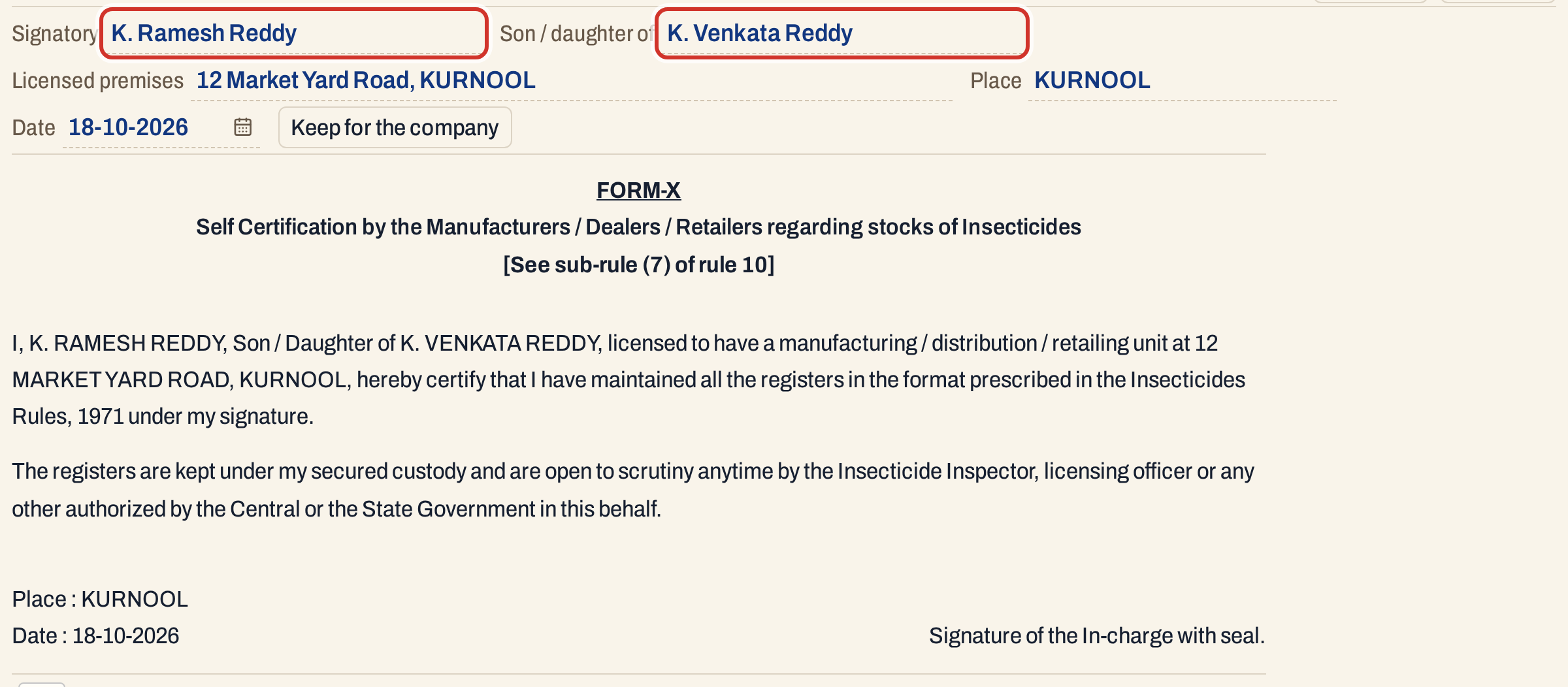 After the two names are typed, the certificate names them in capitals. The Keep for the company button has appeared beside the date.
How the values are worked out
- Each field shows what you typed. When it is empty, it shows the value saved in your company details, as described in the table above. If that is also empty, the field stays empty and the certificate prints a blank line.
- The Date is the working date unless you change it. It prints as day-month-year, for example 18-10-2026.
- Nothing you type here changes your books, and nothing on the page depends on your bills, stock or the financial year.
Keeping what you typed
Values typed here are used for this print only, and are kept in the page address, so Copy link gives a link that opens Form X with them filled in. To save them for every later print, press Keep for the company. The button shows only when a name, the premises or the place differs from what Company Details holds. It saves the four values (not the date) as the Proprietor, S/o, D/o, Premises and Place (forms) of Company Details and shows “Company particulars saved.”
 The button appears as soon as a field differs from the saved value.
 After saving, the next Form X opens with these values already in the fields.
The button is not shown when the books are open read-only, as a backup is in SimplyERP Online.
Press F10, or click Print, to open the print dialog. The print holds only the certificate, without the fields or buttons, on A4 portrait paper with 25 mm margins at the top and bottom and 20 mm at the sides, in 12 point type with wide line spacing. The same page can be printed with Ctrl+P.
Form X has no list, so there is nothing to mark. After printing, sign it, put the shop’s seal on it and keep it with the registers. Appendix B and Form N are the other department forms under the same menu, and Stock St. is the department’s stock statement.
Updated 4 November 2026.