Product vs Supplier Purchases
On this page
The Product vs Supplier Purchases report answers who supplied one product. Choose a product and it lists each supplier you bought it from in the period, under a heading for the supplier’s village, with the units, the quantity in litres or kilograms and the amount. Use it to compare suppliers for a product, or to find who sold you a product and on which bills.
Open the report
Press Alt+6 for Analytical Reports, then M. Choose the Product first: the report shows nothing until you do. The period starts on the first day of the financial year and ends on today.
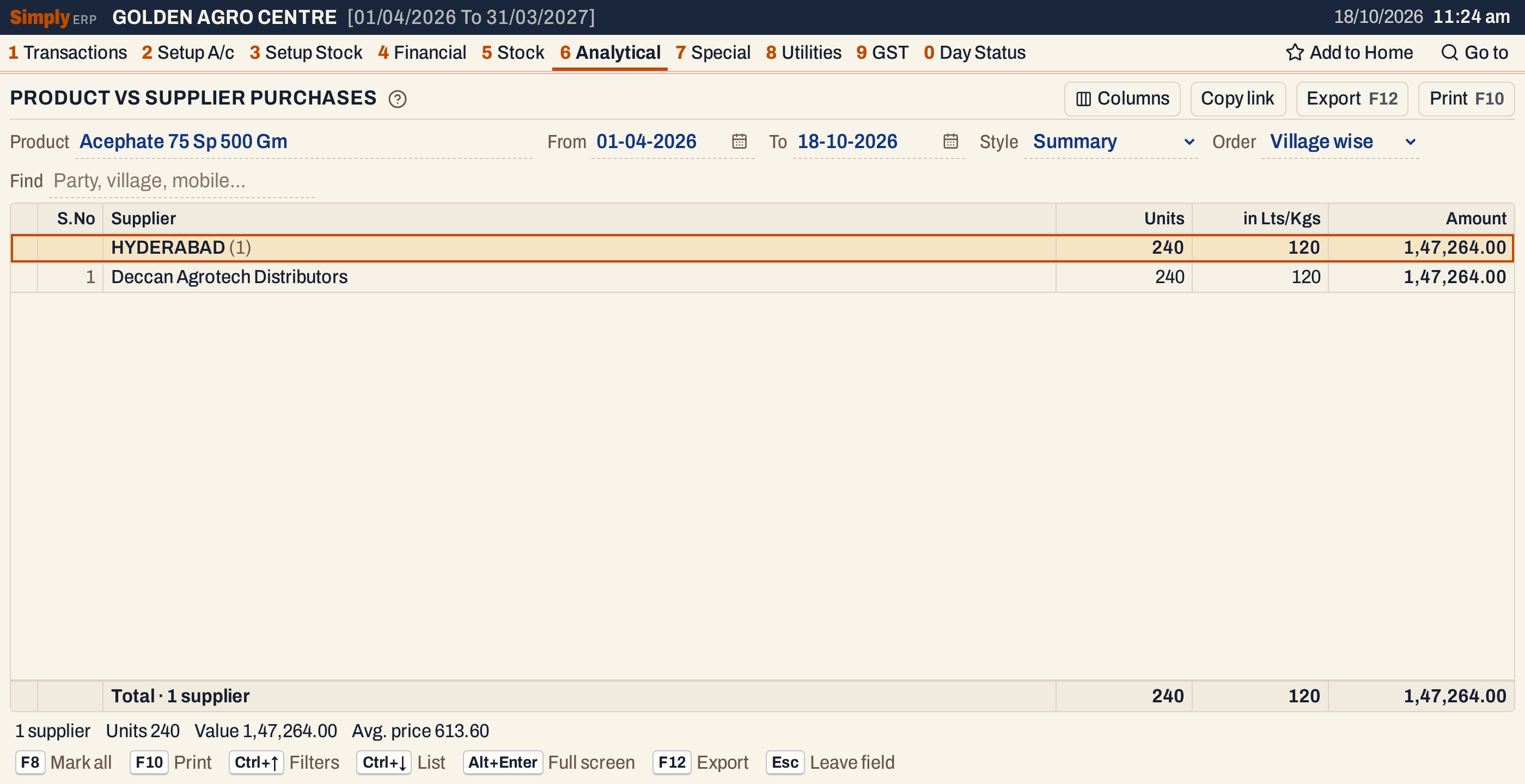 Each village is a heading with its totals. Under it are the suppliers of that village who sold the product to you. In the showcase books only one supplier sold this product in the period.
What it lists
- Purchase bills of the product in the period, from every supplier. Each bill line of the product is one line. A bill counts on the day it was received (the Recd. date on the bill), and Inv.Date shows that day.
- Goods received before their bill, from Goods In / Out (D.C.), for the units not yet billed, on the day they were received. They have no bill to open, and their value is left out of the Amount: the status line says how many lines that is.
Purchase returns, GST credit and debit notes and purchases of other products are not in this report: it counts only the units bought.
Columns
Summary shows these columns:
| Column | What it shows |
|---|---|
| S.No | The line’s number in the list. The Columns button hides it. |
| Supplier | The supplier’s name. Under a village heading, the name alone. |
| City | The supplier’s city, or the place on the bill when the account has no city. Shown when Order is not Village wise. |
| Mobile | The supplier’s mobile number. Shown only when at least one line has one. |
| Units | The units bought. |
| in Lts/Kgs | The litres or kilograms: units times the pack size. |
| Amount | The amount of the purchases. See how it is worked out below. |
Detailed shows each bill line instead: the Supplier, then City and Mobile as above, Inv.No., Inv.Date, Units, Price and Amount. It has no Lts/Kgs column. The Columns button hides S.No, City and Mobile, and Price in Detailed or in Lts/Kgs in Summary.
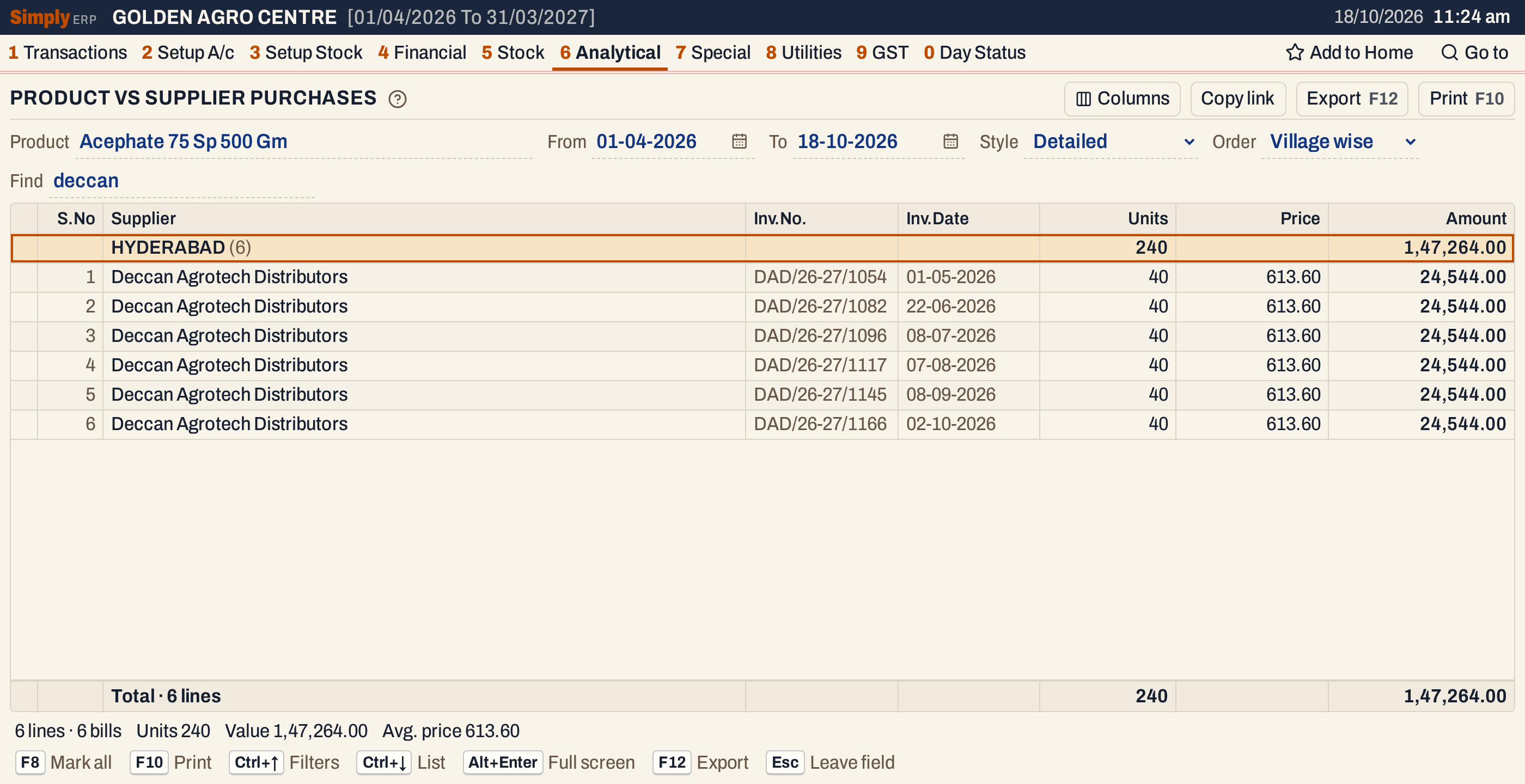 Detailed in Village wise order, with Find set to one supplier.
Choices
| Choice | What it does |
|---|---|
| Product | The product to report. Required. |
| From, To | The period. The defaults are the first day of the financial year and today. Both dates must fall in the financial year. |
| Style | Summary (the default): one line for each supplier. Detailed: every bill line of the product. |
| Order | Village wise (the default): suppliers under their village headings. Party wise: in Summary the suppliers by name, without headings; in Detailed a heading for each supplier with their bills under it. Date wise (Detailed only): the bill lines by date, without headings. |
| Find | Shows only the lines where every word you type is found in the supplier, village, mobile number or, in Detailed, the bill number. A word of three or more letters also matches when its letters appear in that order, close together. |
Purchases have no Payment or GST choice.
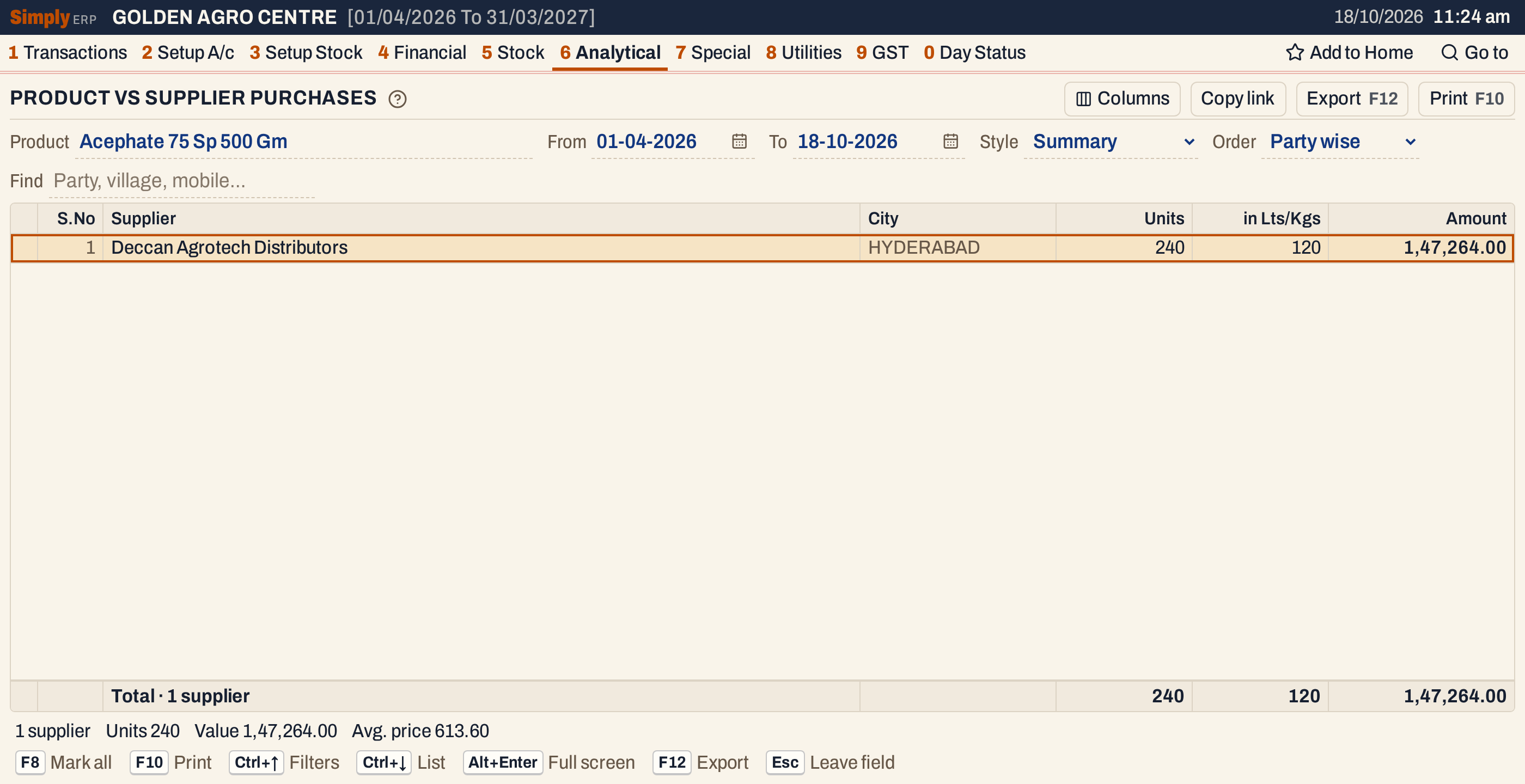 Party wise lists each supplier by name, with the city of the supplier.
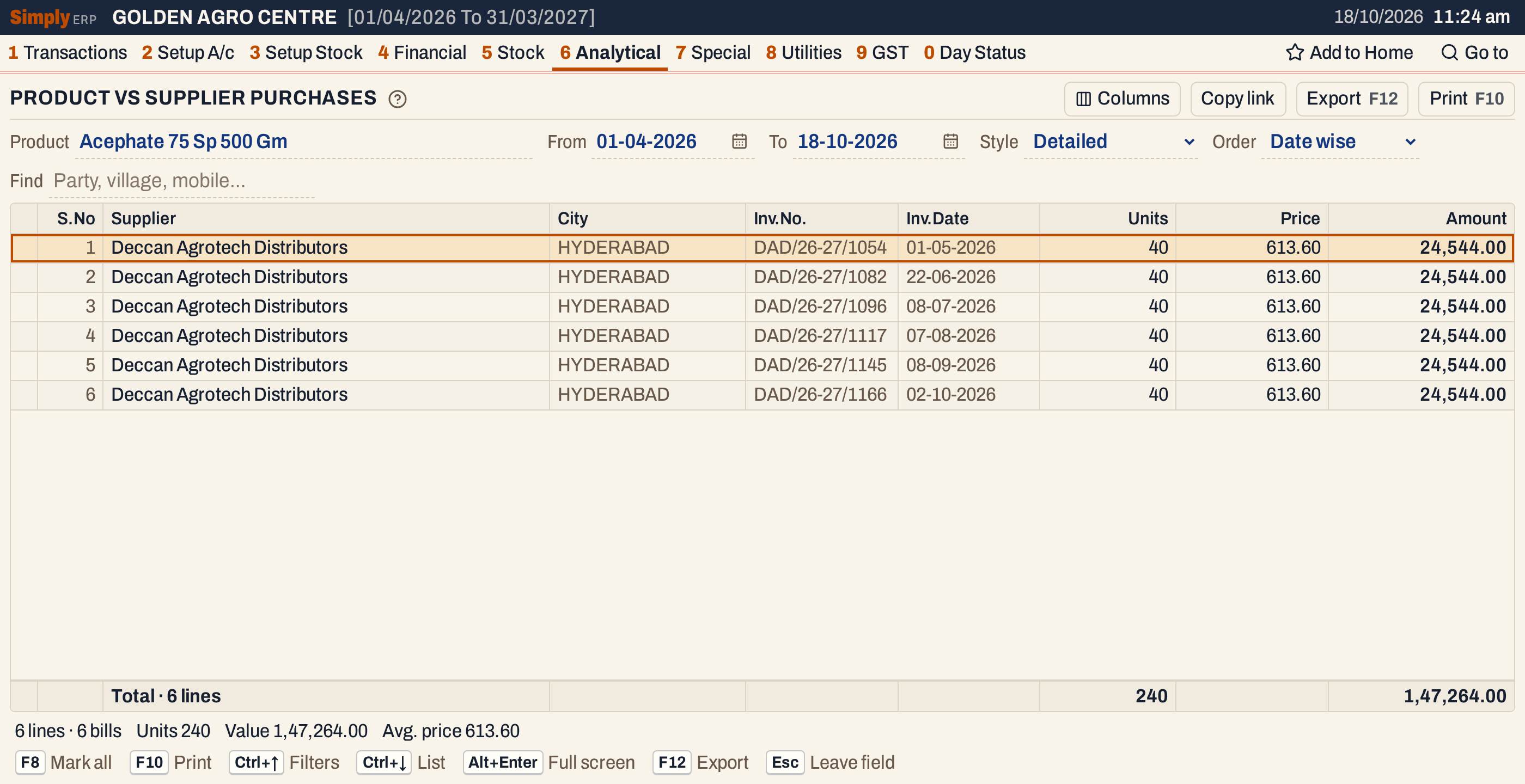 Date wise lists each bill line in date order, with the City of each supplier.
How the figures are worked out
Each bill line of the product adds to its supplier’s line in Summary, or is a line of its own in Detailed.
- Units = the units on the bill line.
- in Lts/Kgs = the units times the pack size of the product. For example, 240 units of the 500 Gm pack make 120 kg.
- Price (Detailed only) = the line’s value after its discounts, with GST, divided by its units and rounded to paise. For example, 40 units at 613.60 come to 24,544.00.
- Amount in Detailed = Units × Price. Because the Price is rounded first, an Amount can differ by a few paise from the line’s value on the bill.
- Amount in Summary = the Detailed Amounts of the supplier’s lines added up, so Summary and Detailed show the same figures. Unlike in Supplier vs Product Purchases, Summary does not leave the GST out here.
The Total line adds up the lines shown. The status line gives the number of suppliers or lines, the units, the value and the Avg. price, which is the value divided by the units.
Villages are listed in name order, and suppliers without a village come last under the heading * City.
Open, mark, print and export
- Enter on a bill line in Detailed opens the bill. In Summary, Enter on a supplier opens the Supplier vs Product Purchases report for that supplier and this product.
- F2 marks a line and F8 marks them all. F10 then prints only the marked lines.
- F10 prints the report as it is on the screen, with the product, the period and your choices.
- F12 saves it as an Excel workbook.
- Alt+Enter gives the whole window to the list.
Updated 4 November 2026.