Multi Ledger
On this page
The Multi Ledger prints the Ledger of many accounts one after another: for each account its opening balance, its postings with a running balance, and a line with its totals and closing balance. Use it to review all your suppliers or all the customers of one salesman for a period, or to print the ledgers of a few accounts in one go. For one account, the Ledger is simpler.
Open the report
Press Alt+4 for Financial Reports, then J. The period is the financial year’s first day to today. The grid stays empty until you choose what to list.
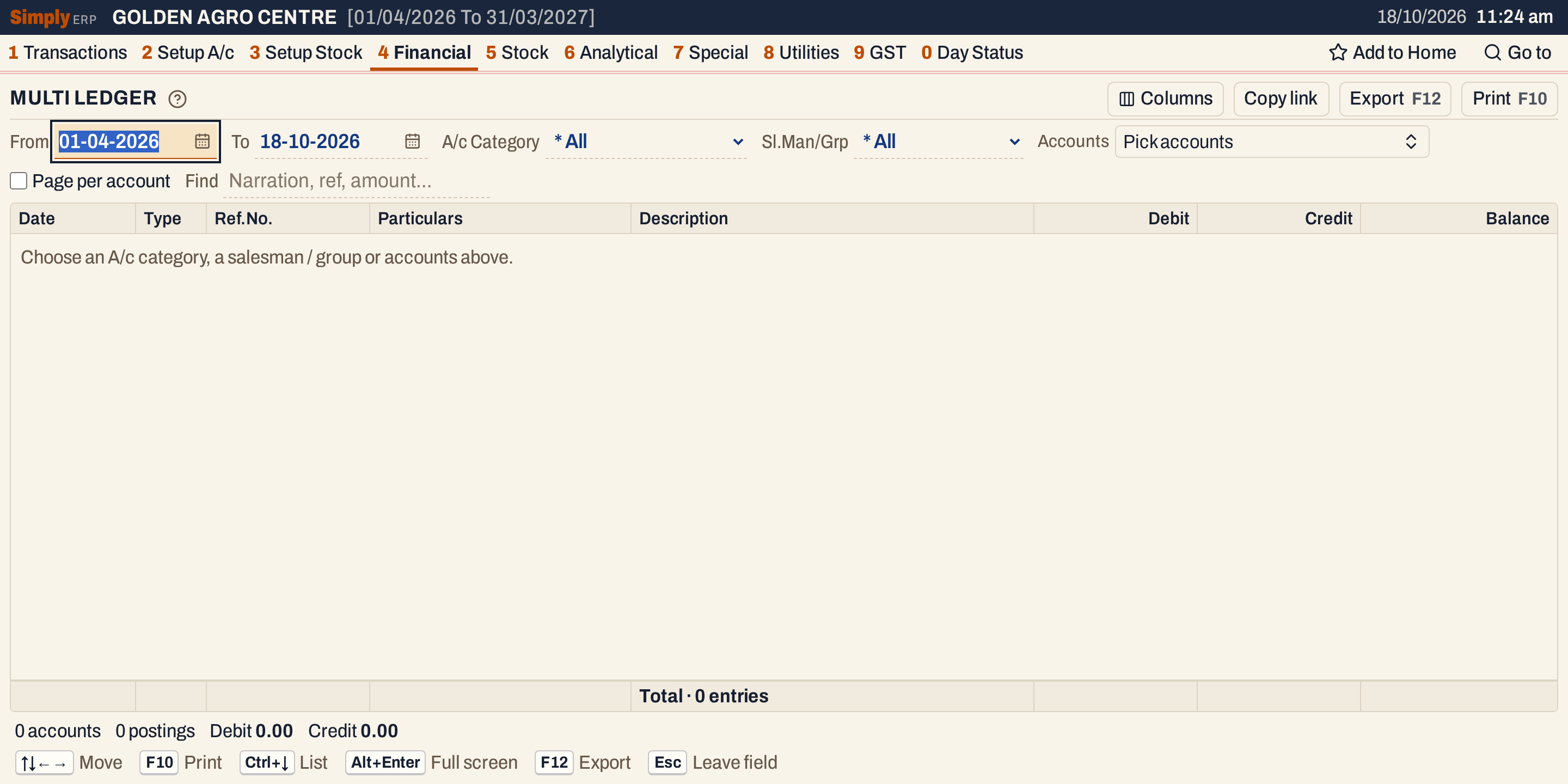 Nothing is listed until you choose an A/c category, a salesman or group, or some accounts.
Choose A/c Category (here Supplier) and set From. The ledgers fill in, accounts in name order.
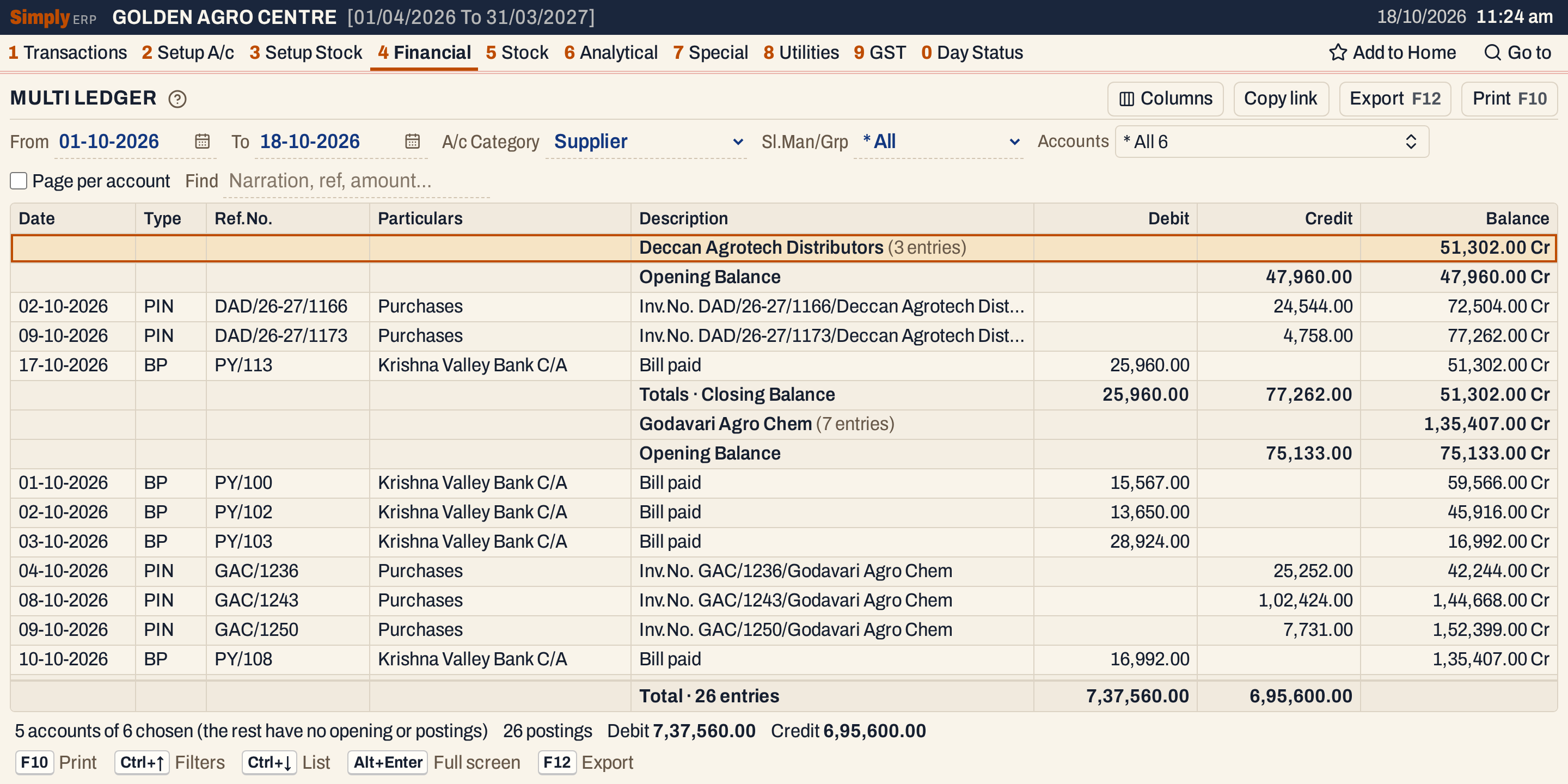 Each account is a heading with the number of entries, then its opening balance, its postings and a Totals · Closing Balance line. The status line says 5 accounts of 6 chosen: one supplier has nothing in the period.
What it lists
For each chosen account:
- a heading with the account’s name, the number of postings shown and its closing balance;
- the Opening Balance line;
- one line for each posting dated in the period, as in the Ledger: purchase and sale bills, returns and notes, receipts, payments and journals, with a running balance;
- a Totals · Closing Balance line.
An account with no opening balance and no postings in the period is left out, and the status line says how many of the chosen accounts that was. An account with postings but a nil opening balance is listed, with an opening of 0.00 Cr.
The posting lines read as in the Ledger: Type is SIN, PIN, BP and so on, Particulars is the other account, Description the narration. Ref.No. is the document’s number: the book’s number for a sale bill, receipt or payment (F/244, PY/113) and the supplier’s own bill number for a purchase bill (DAD/26-27/1166).
Columns
| Column | What it shows |
|---|---|
| Date | The date of the posting. Blank on heading, opening and totals lines. |
| Type | What posted it. Hide it with Columns. |
| Ref.No. | The document’s number. Hide it with Columns. |
| Particulars | The other account of the posting. Hide it with Columns. |
| Description | The narration. On a heading, the account’s name and its number of entries; on the other lines, Opening Balance or Totals · Closing Balance. |
| Debit | The amount when the posting debits the account. On the Opening Balance line, the opening balance when it is a debit. On the Totals line, the period’s debits and a debit opening balance. |
| Credit | The same for credits. |
| Balance | The balance after each line, marked Dr or Cr. On the heading and the Totals line, the closing balance. |
The totals line under the grid adds up the Debit and Credit columns of the posting lines only (opening balances are not in it) and counts them. The status line gives the number of accounts and postings and the same two totals.
Choices
| Choice | What it does |
|---|---|
| From, To | The period. Both dates must fall in the financial year. The opening balance is the balance on the day before From. |
| A/c Category | The accounts of one account type, or Others (trading, cash and bank): the Sales, Sales Returns, Purchases, Purchase Returns, Opening Stock, Cash, Bank, Bank(L) and Closing Stock types. The default is * All, which lists nothing by itself: pick the accounts by hand. |
| Sl.Man/Grp | The accounts whose salesman or group is the one you choose. The default is * All. Set in the Representative column of A/c Grouping (2 C). The choice is shown only when some customer, customer-supplier or farmer account has one. |
| Accounts | Pick accounts by hand: a click, or F2, opens a list you can search; the list holds the accounts of the category and group above. With none picked, every account of the category or group is listed. |
| Page per account | Starts each account on a new page when you print. The screen does not change. |
| Find | Shows only the postings that match what you type: date (as dd-mm-yyyy), type, reference, particulars, narration or amount. Every word must be found in one of these. |
| Columns | Hides the Type, Ref.No. or Particulars column. The print leaves them out too. |
Choosing another category or group clears the accounts you had picked. Every choice is kept in the page address, so Copy link gives a link that opens the same report.
 The choices above the grid. On these books a salesman was set for the accounts of one route, so Sl.Man/Grp is shown.
Pick accounts by hand
The Accounts list searches by name and ticks each account you click. Selections update the report at once, and Done closes the list.
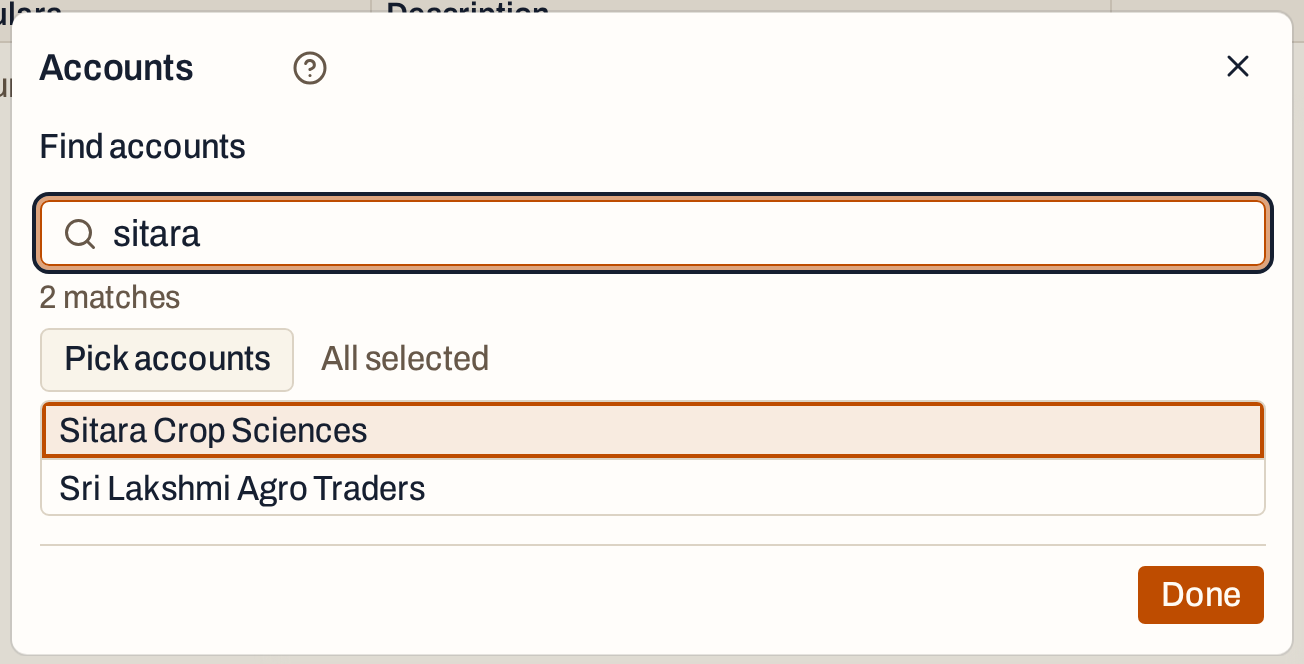 Type part of a name to narrow the list.
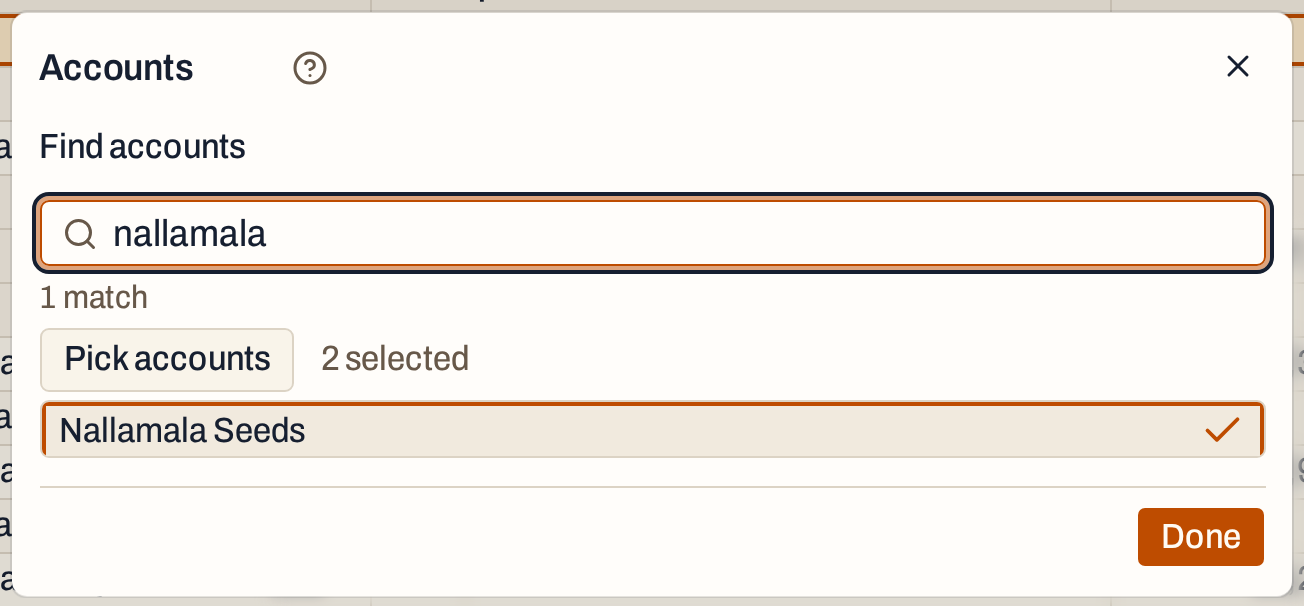 Sitara Crop Sciences and Nallamala Seeds are picked: 2 selected.
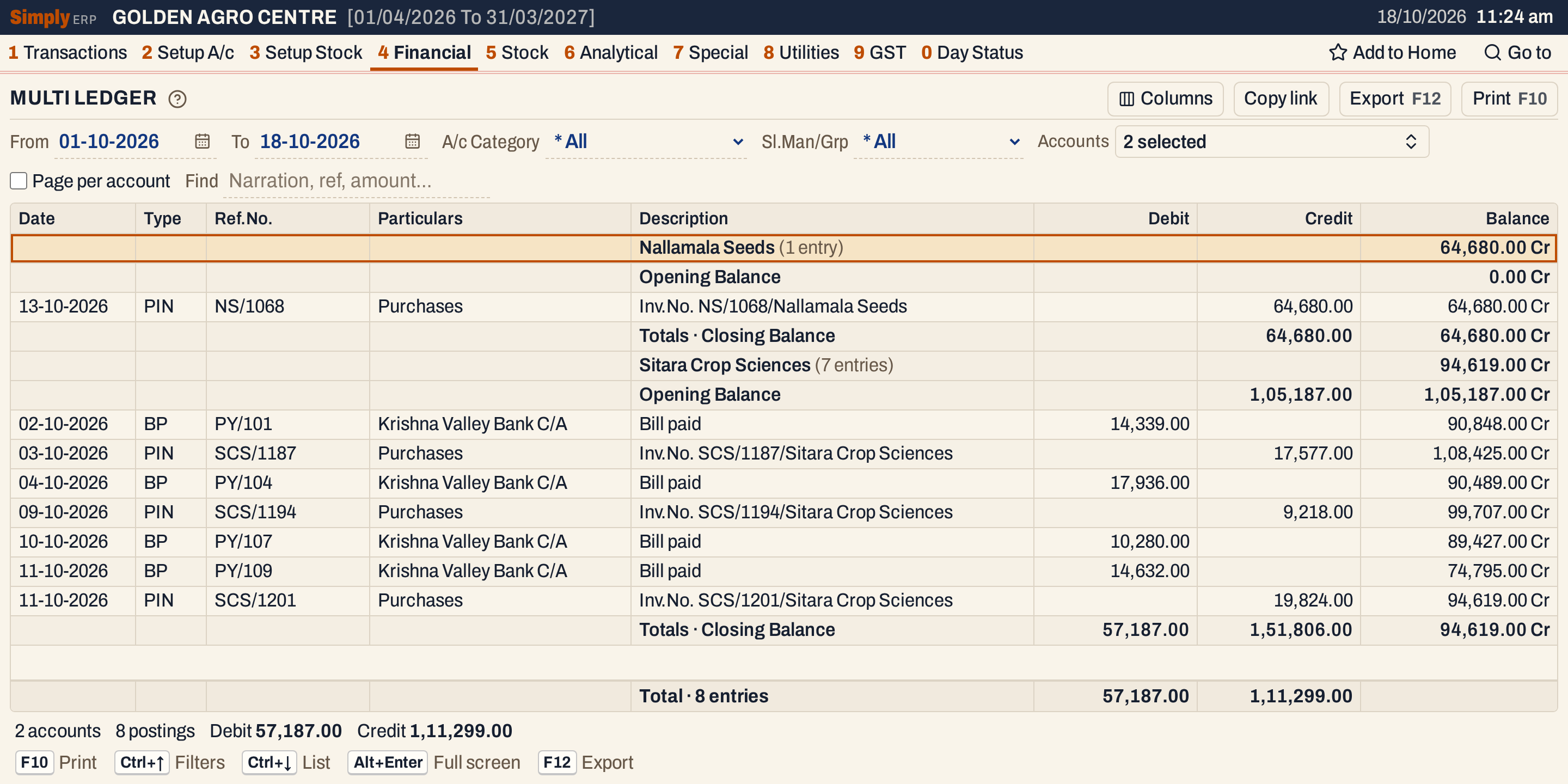 Two accounts. The line under the grid counts 2 accounts and 8 postings.
A salesman or group
Choose a salesman or group in Sl.Man/Grp to list every account of it. Here the six accounts of the salesman RAVI, from 12-10-2026.
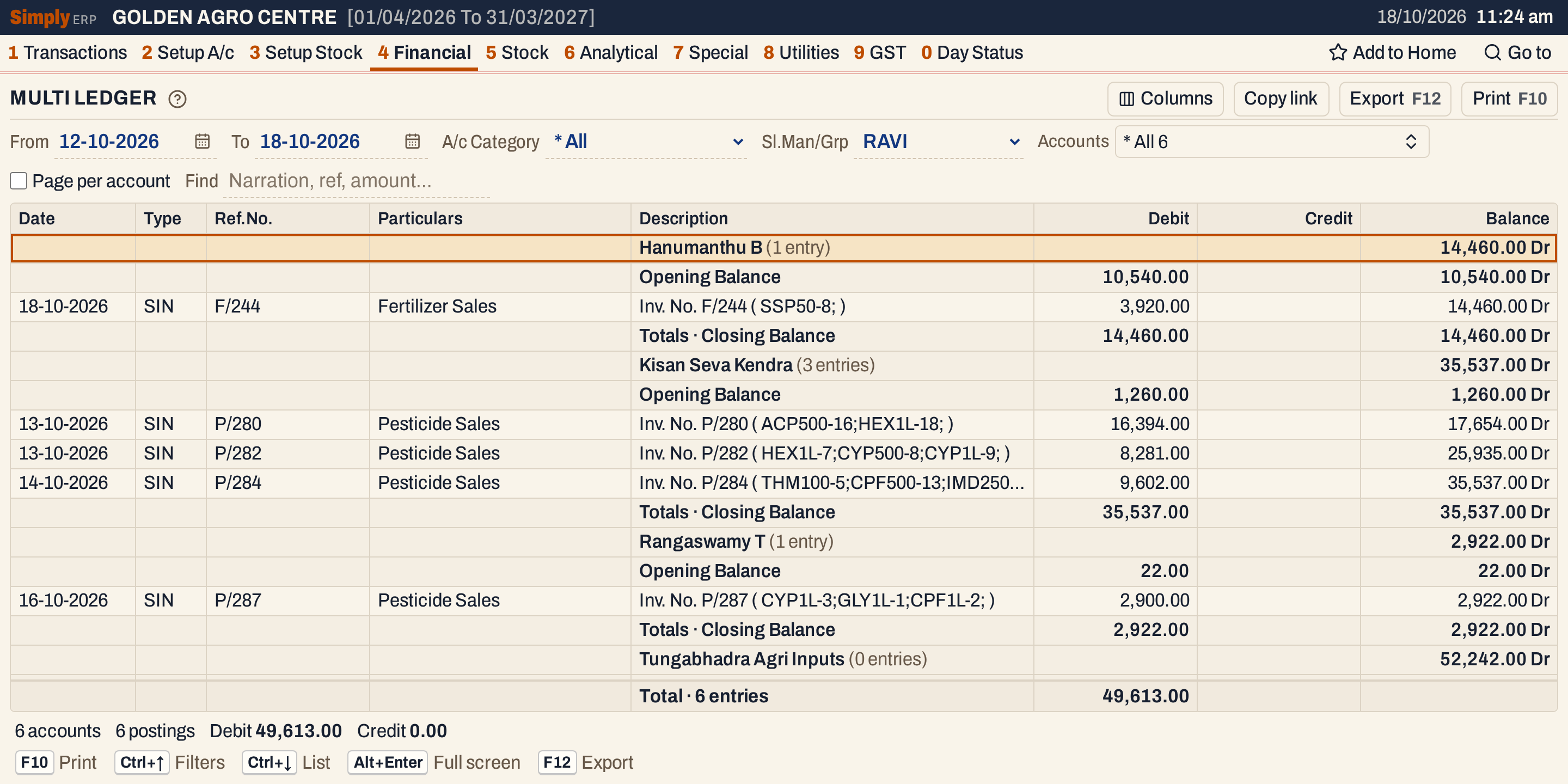 An account with no posting in the period, such as Tungabhadra Agri Inputs, is still listed because its opening balance is not nil.
How the figures are worked out
The figures are those of the Ledger, worked out for each account on its own:
- Opening Balance = the account’s opening balance plus everything posted before From. Credits less debits; a credit result is marked Cr and a debit result Dr. A nil opening balance shows as 0.00 Cr.
- Balance on each posting = the balance of the line above + Credit − Debit, starting from the opening balance. Within a day the debits come before the credits, then the postings in the order they were made.
- Closing Balance = Opening + the period’s credits − the period’s debits. A nil closing balance is shown as Dr. In the Supplier picture Deccan Agrotech Distributors has 47,960.00 Cr + 24,544.00 + 4,758.00 − 25,960.00 = 51,302.00 Cr.
- Totals line: Debit = the period’s debits, with the opening balance added when it is a debit; Credit = the period’s credits, with the opening balance added when it is a credit. For Deccan Agrotech Distributors: Debit 25,960.00 and Credit 47,960.00 + 29,302.00 = 77,262.00. The Totals line of the grid, in contrast, leaves the opening balances out.
Find
Find narrows the postings, not the balances: each line keeps its balance from the full ledger, and the opening and closing balances do not change. An account with no matching posting is still listed, with its opening, closing and an entry count of 0. Its Totals line then holds only the opening balance, if the opening is not nil.
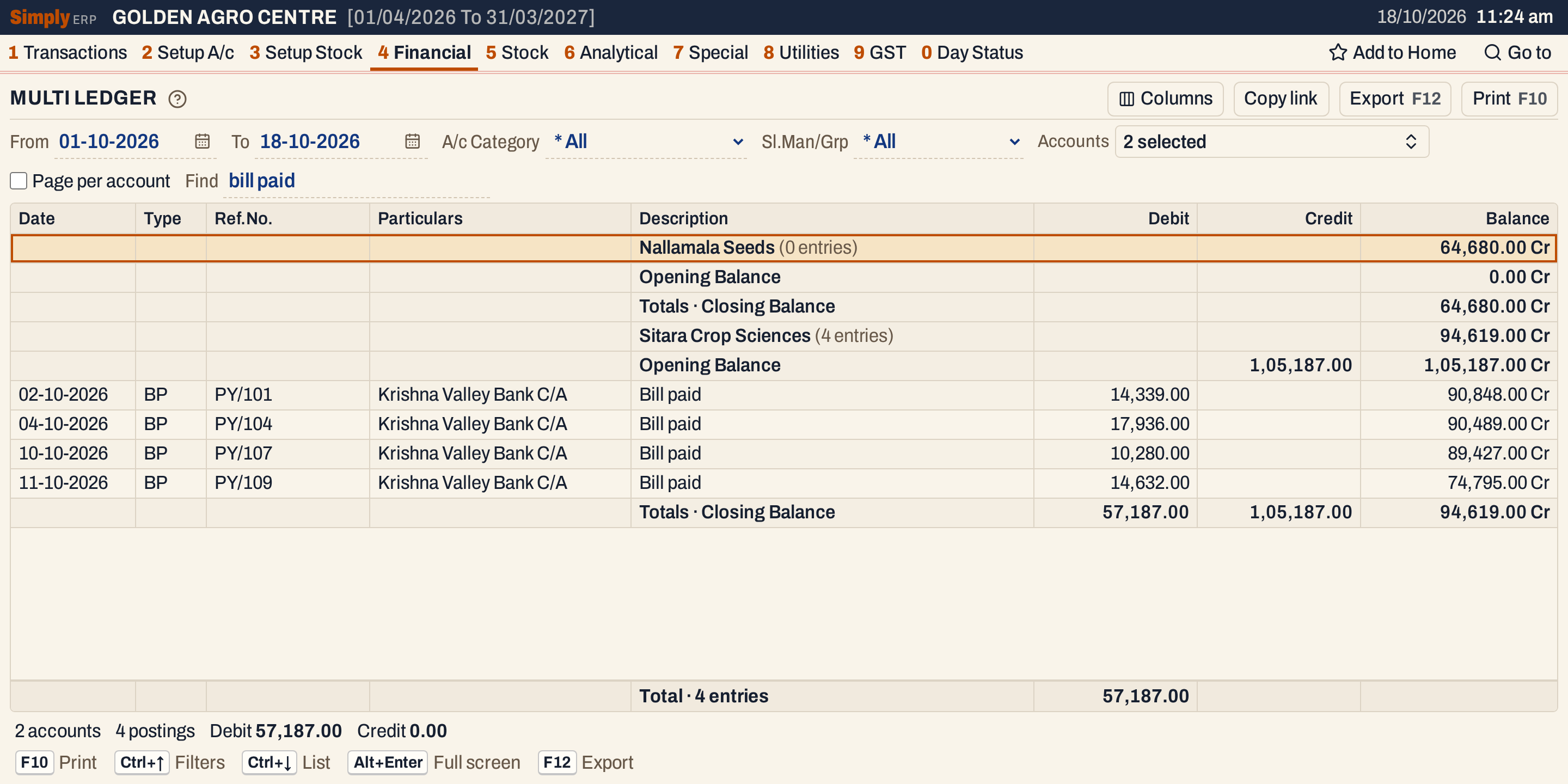 Find “bill paid” keeps the four payments to Sitara Crop Sciences. Its closing balance is still 94,619.00 Cr, because the bills are still counted.
Open, print and export
- Enter on an account’s heading opens its Ledger for the same period. Enter on a posting opens the bill or voucher behind it. Alt+← returns to the same line.
- Typing letters jumps to the account heading that starts with them.
- F10 prints the report as LEDGER, with the period and your choices (category, salesman or group, how many accounts were picked, Find) in its heading. Each account has an Account Name heading, its lines and its Totals · Closing Balance line. Tick Page per account to print each account on its own page. The print shows Credit before Debit and the other account’s name in capitals with the narration under it. It ends with Totals · N accounts, which add the openings to the period’s debits and credits.
- F12 saves it as an Excel workbook, with the figures as numbers.
- Alt+Enter gives the whole window to the list.
Updated 4 November 2026.