Make a journal entry
On this page
A journal entry moves value from one account to another without a receipt or payment: cash deposited into the bank, a salary booked before it is paid, a correction between two accounts. You list the accounts with a debit or a credit on each row, and the entry saves only when the debits equal the credits. Receipts and payments do not accept a cash account as the party, so moving money between cash and bank is entered as a journal.
Open a new journal entry
Press Alt+1 for the Transactions menu, D for Journal, then N for New Entries. M (View / Modify / Delete / Print) lists the journal entries already saved; see Change or delete a voucher.
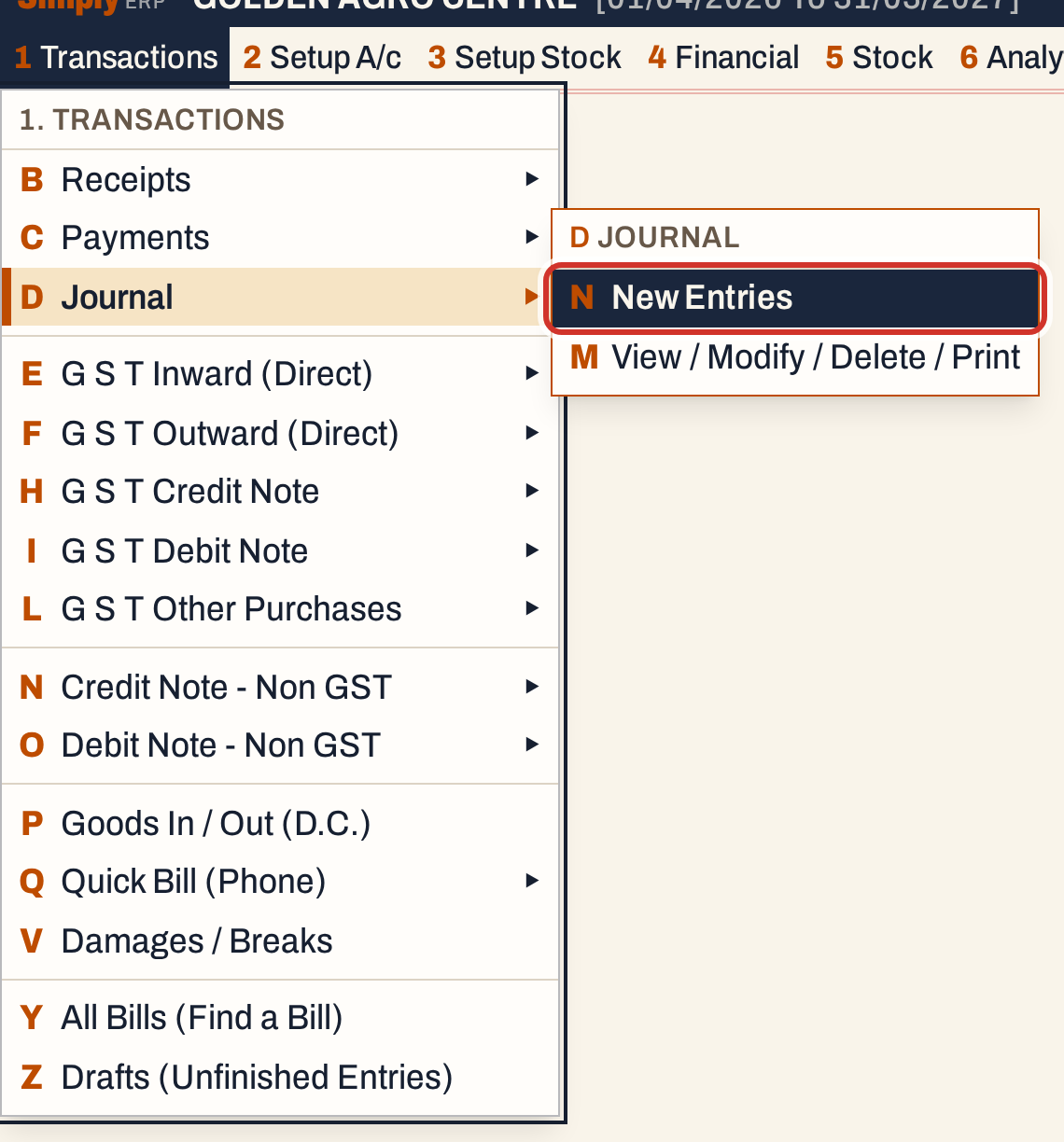 1 D N: Transactions, Journal, New Entries.
The header has only the date, which starts on today’s working date and must lie in the financial year, and the series with the next number (J/36 here). There is no cash or bank account in a journal. The cursor starts on the first row.
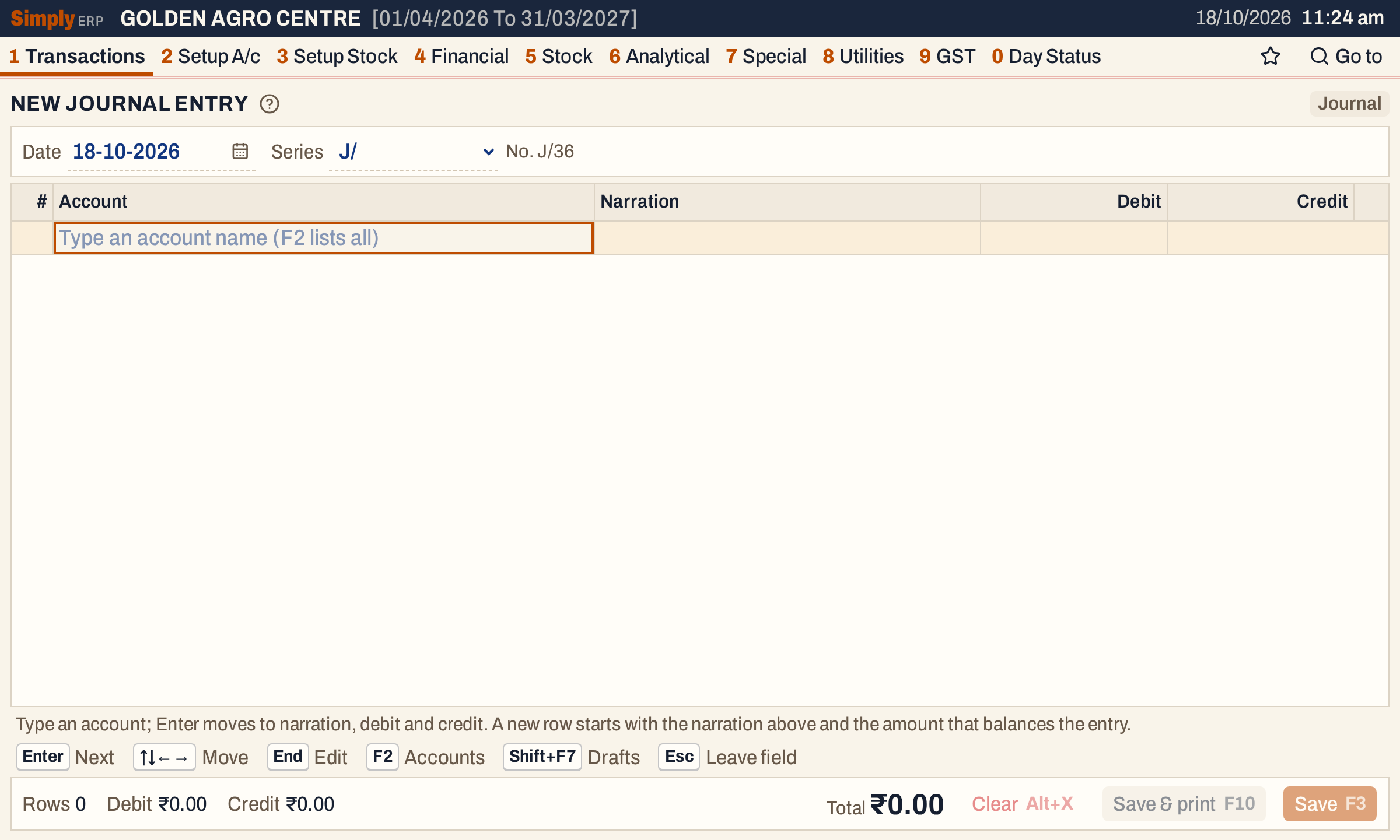 A new journal entry. The mark at the top right names the state of the entry: Journal when empty, Balanced when the sides agree.
Enter the rows
Each row has an account, a narration, and an amount in Debit or Credit. A row carries one side only: typing in Debit clears Credit, and typing in Credit clears Debit.
For the first row of a cash deposit, type the bank account, the narration and the amount in Debit. The line under the rows shows the account’s balance and what it becomes: Krishna Valley Bank C/A goes from ₹2,29,101.00 Cr to ₹2,09,101.00 Cr.
The entry is now one-sided. The mark at the top right and the footer both say Difference ₹20,000.00 Dr, which is how far the debits are ahead of the credits. If you press F3 now, the screen refuses and says why.
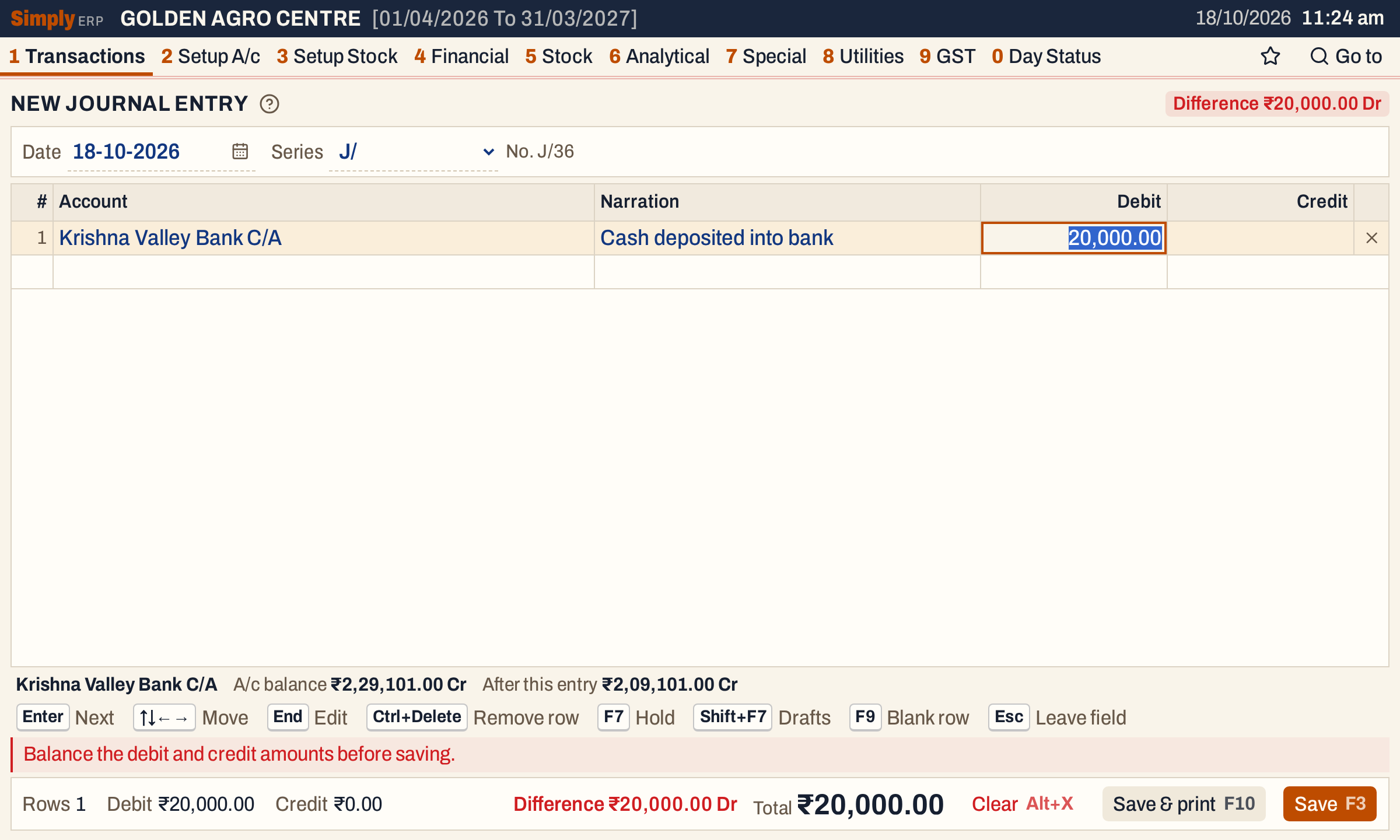 A journal that does not balance cannot be saved.
Let the next row balance it
Press Enter after the amount to go to the next row, and choose its account. The row fills itself in:
- the narration of the row above, so paired rows read alike;
- the amount that balances the entry, on the side that balances it: here ₹20,000.00 in Credit.
Type over either if it is not what you want. Enter visits only the side that is filled, so from the narration it goes straight to Credit, and the empty Debit is skipped.
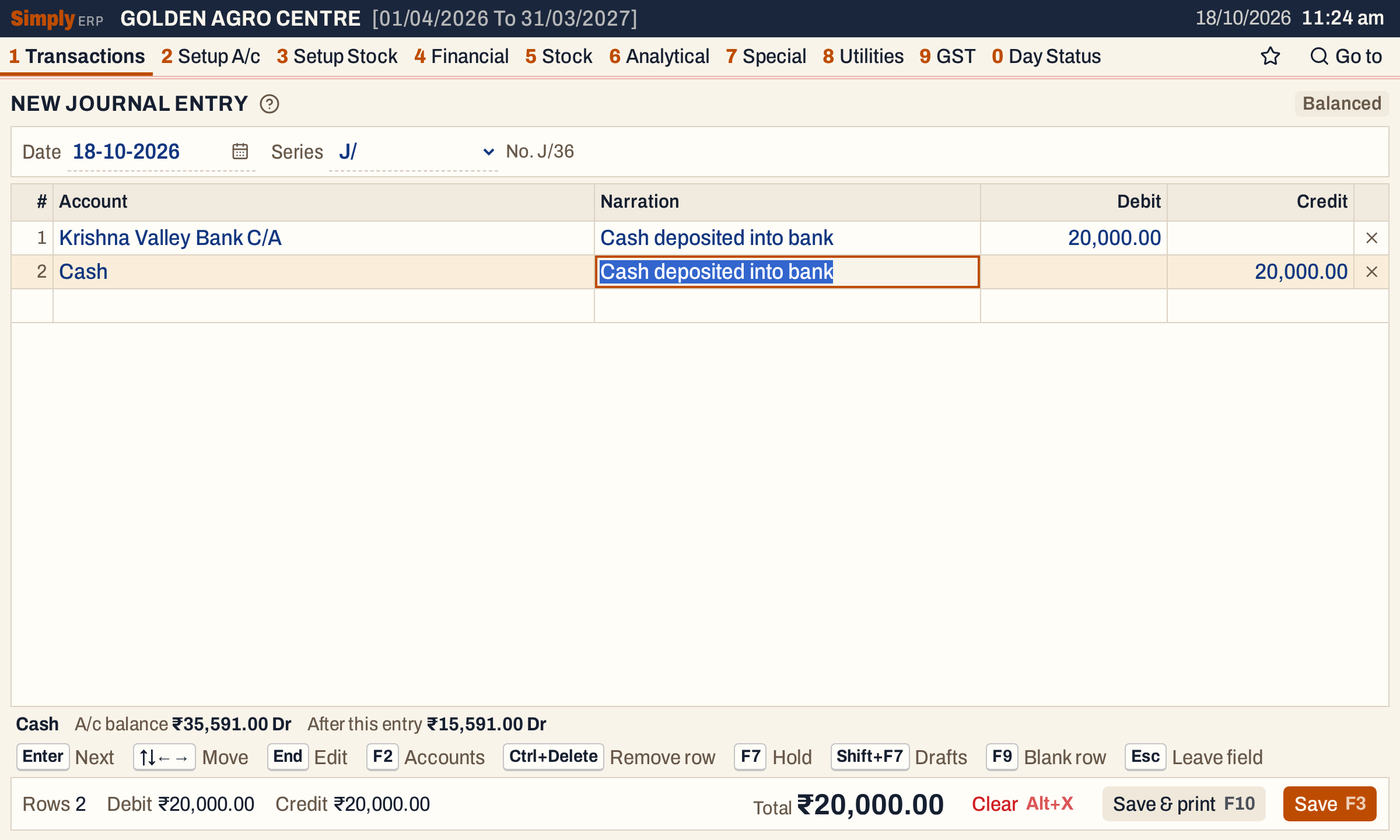 Row 2 started with the narration and the ₹20,000.00 that balances row 1. The cash balance falls from ₹35,591.00 Dr to ₹15,591.00 Dr.
When more than two accounts are involved, each new row starts with the amount that balances what the other rows leave. The mark shows Balanced when the entry is even, and a blank row is always ready at the bottom; F9 goes to it.
Press F3 to save. A notice says “Journal entry saved”, the rows clear and the date and series stay for the next entry.
 The entry is saved when it balances.
What saving does to your books
One voucher is made with the next number of the series, dated on the entry’s date. Each row posts to its own account, on the side you gave it:
| Account | Debit | Credit |
|---|---|---|
| Krishna Valley Bank C/A | 20,000.00 | |
| Cash | 20,000.00 |
The debits and credits of every journal are equal, so the books stay in balance. In each account’s ledger the line reads “Journal Entry” in the particulars. Stock is not touched.
The saved journals are listed under 1 D M, one line each, showing the first debit account and the first credit account (with “+ 2” and so on when a side has more rows) and the amount. Here From and To are both set to 18-10-2026; J/35 was already in the books.
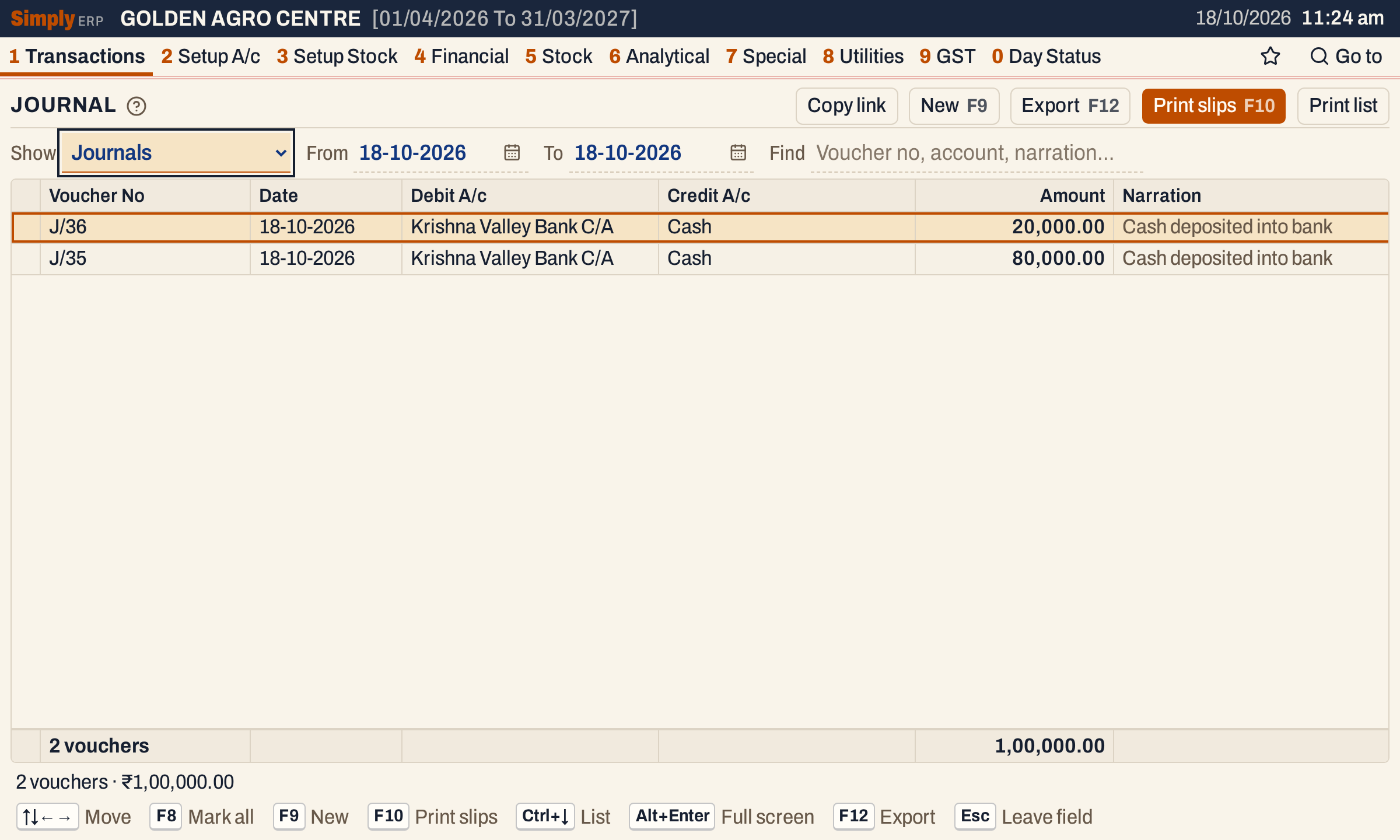 Each journal has one line, with its total.
Open the journal to see every row.
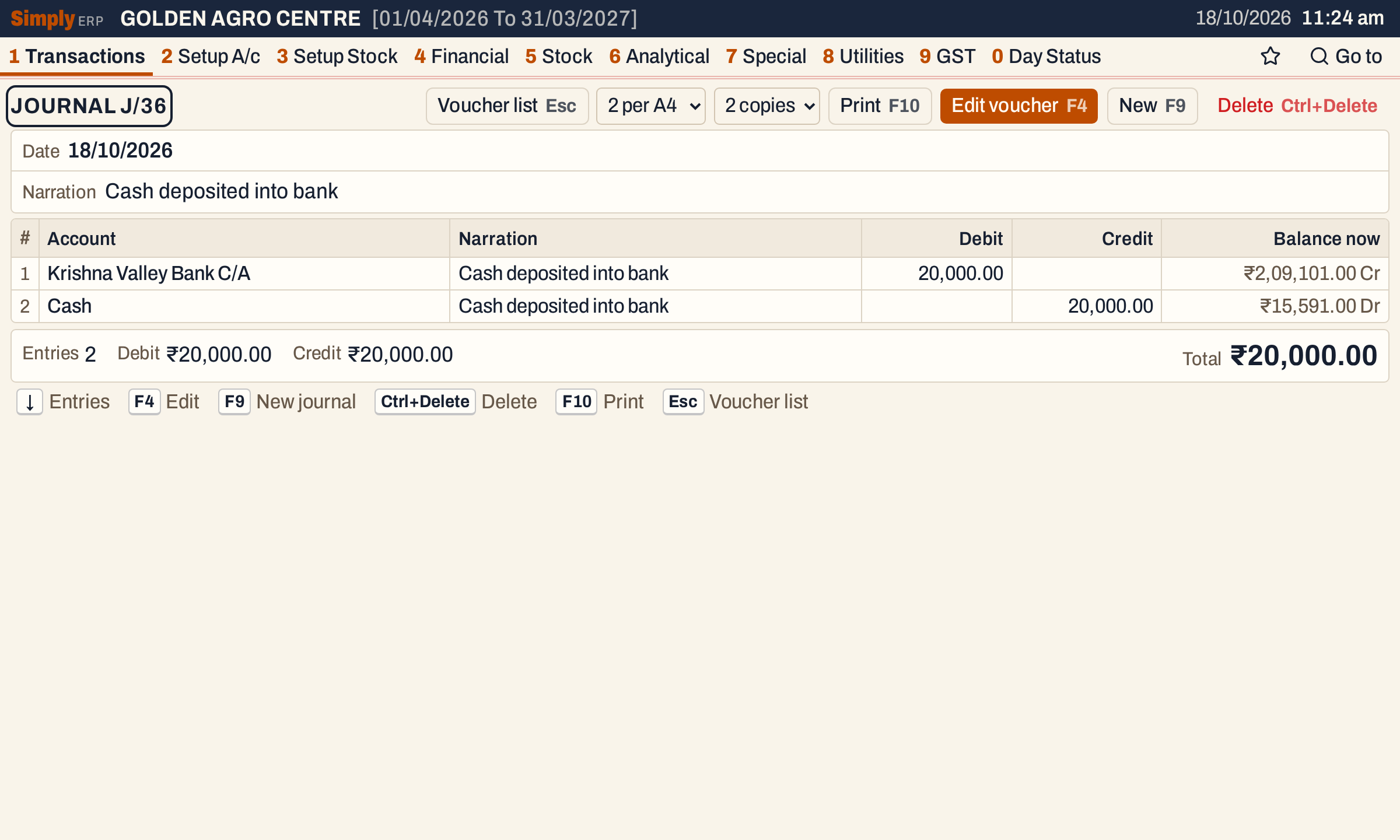 Balance now: the bank ₹2,09,101.00 Cr and cash ₹15,591.00 Dr.
It shows in the Journal book, in each account’s ledger, the cash book and bank book for these two accounts, and in the trial balance.
Print the journal voucher
F10 saves and prints the voucher. On a saved journal, F10 prints it again, two to an A4 sheet or one per A5 sheet. The slip lists each account with its narration and its debit or credit, the totals, and places for Prepared by, Checked by and the authorised signatory.
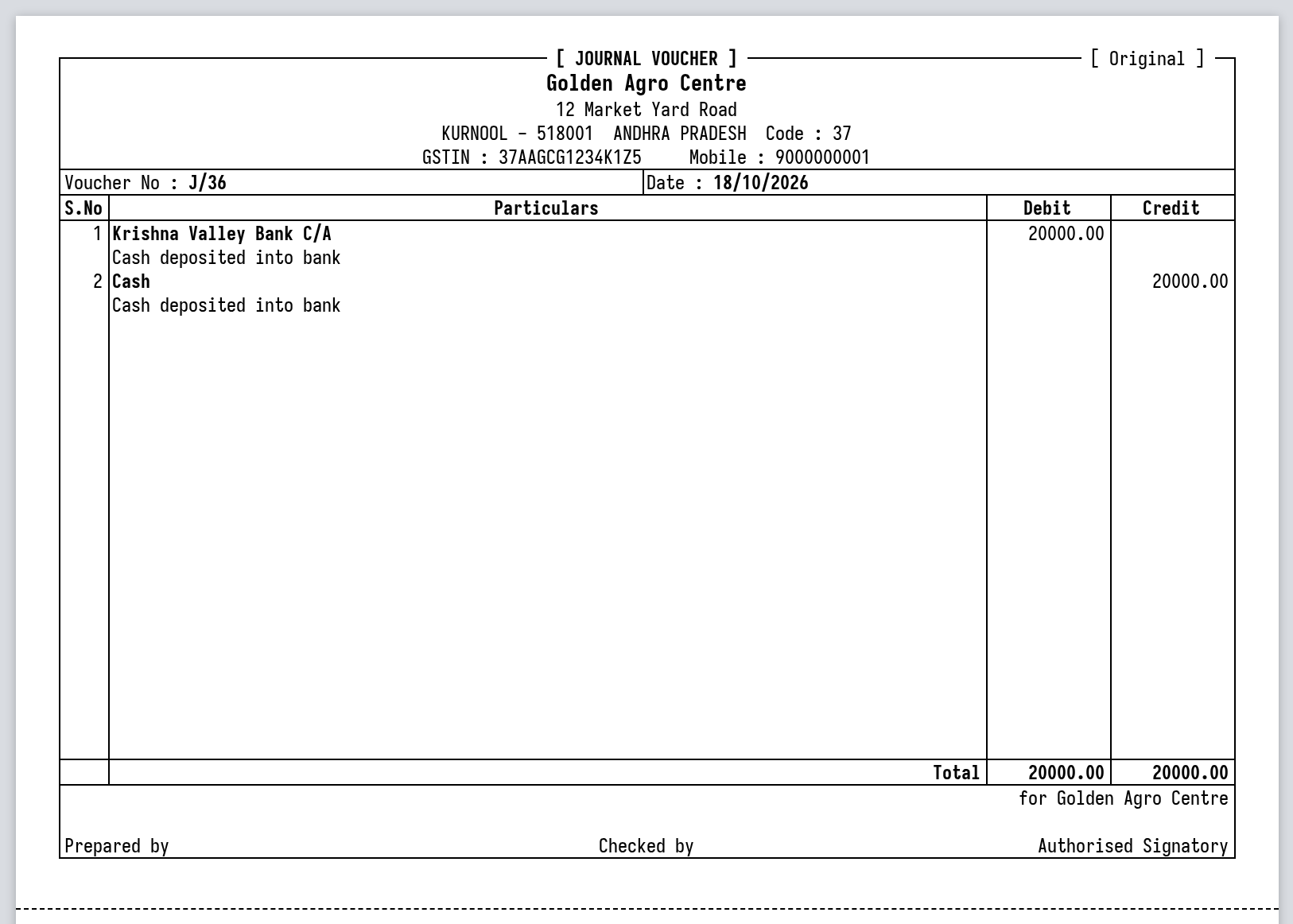 The voucher’s totals agree, as every journal’s do.
Keys on the journal screen
| Key | What it does |
|---|---|
| Enter | Next field; on a row, only the side that is filled |
| F2 | List the accounts, or in Narration the saved narrations |
| F3 | Save, when the debits equal the credits |
| F10 | Save and print |
| F9 | Go to the blank row |
| Ctrl+Delete | Remove the row |
| F7 | Hold the entry in Drafts |
| Alt+X | Clear the entry (asks first) |
On a Mac, ⌥ stands for Alt and ⌘ for Ctrl.
Common questions
Why will it not save? Look at the mark at the top right and the footer: Difference shows by how much, and on which side, the entry is out. Add a row for the other side, or correct an amount. A row with an account needs an amount, and a row with an amount needs an account.
Can I put the same account on several rows? Yes. Each row posts on its own.
Is there a cash or bank account to choose? No. Any account can be a row, including the cash and bank accounts, each with its own debit or credit. That is why moving money between cash and bank is entered as a journal.
I saved a wrong journal. Open it from the register and press F4 to change it, or delete it. See Change or delete a voucher.
Updated 4 November 2026.